
Analyze, on the web
An analyst team of AIs that shows its work.
Ask about your data or the world's. A frontier model leads, faster teammates you approve take parts of the work, and a second AI critiques the result. Every figure links back to its source.
20 free sessions on the web with your own API keys.
Works with
- Claude

- ChatGPT
- Gemini

- Perplexity

- Mistral

- Cohere

- DeepSeek
- Grok

- Kimi

- GLM

- Runway (video)
- ElevenLabs (audio)
01Answers you can check
One number, checked three ways.
Take any figure in a Symposium report. You can see where it came from, what a second AI made of it, and whether a different AI gets the same answer from the same sources.
1The finding
South Asia led because it improved on all three measures at once: GDP per capita grew 134%, life expectancy rose 7.2 years, and secondary enrollment rose 23 points. [1]
Written by Claude, the Operator.
2The source
[1] World Bank data
- Request
- The exact call the code made
- Time
- When it was fetched
- Fingerprint
- A hash of the response
Recorded by the fetch itself, not written by the model.
3The critique
P1Counter-checkConfidence: highby ChatGPTName the exact World Bank aggregate codes, and say whether “East Asia” includes the Pacific. If the boundaries can't be matched, make the headline ranking conditional on the definitions.
The Reviewer never edits the report. You choose what goes back.
4The check
Check independentlyA different AI re-fetches the sources, redoes the numbers, and marks the point:
ConfirmedDisputedUnverifiableNothing goes back to the Operator until you send it.
- Your files stay in your sandbox
- Uploads go into a private Python sandbox for your session on our servers, with no internet access, and are kept with the session in our cloud storage. The model sees what its code prints and the pages it opens.
- Provenance is captured, not curated
- Every fetch records the request, the time, and a response fingerprint. They flow into inline markers, a Sources panel, and an appendix in every export.
- Real data only
- The Operator is instructed never to invent, sample, or guess values, and never to fall back silently to training data. If it cannot get the data, it says so.
02Teams
The right model for each role.
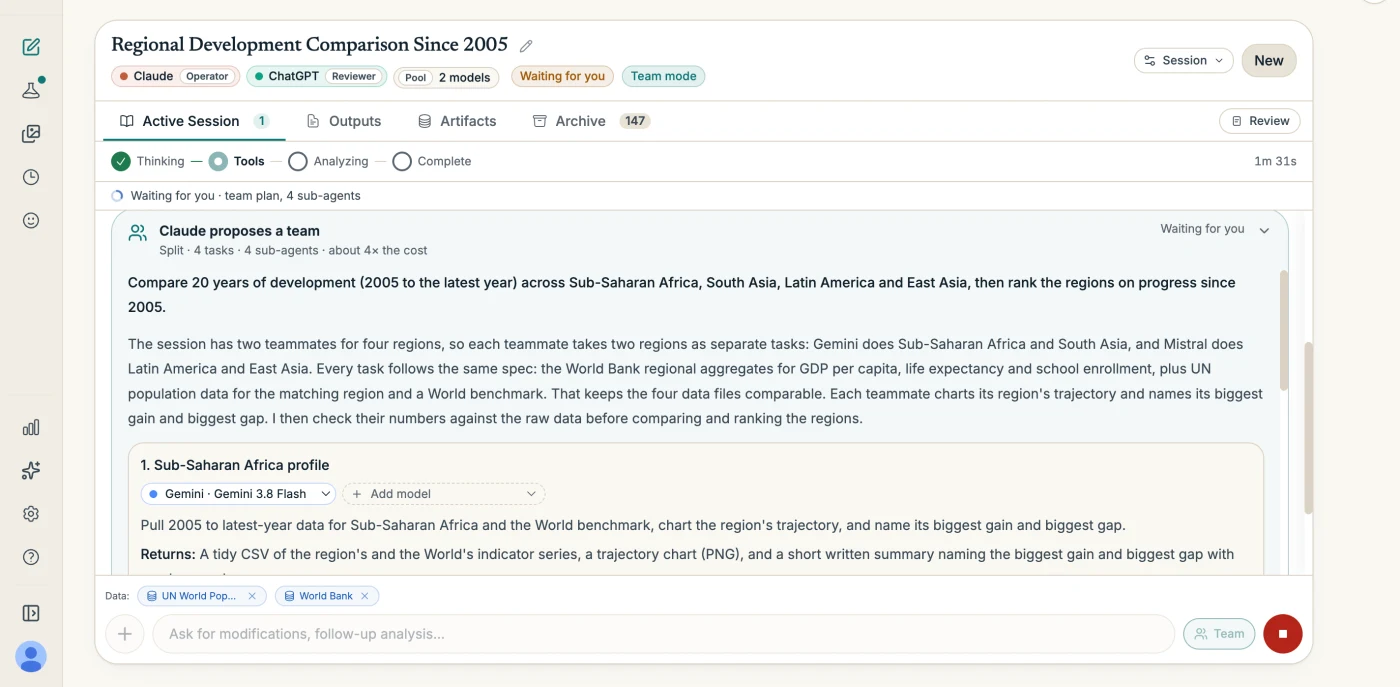
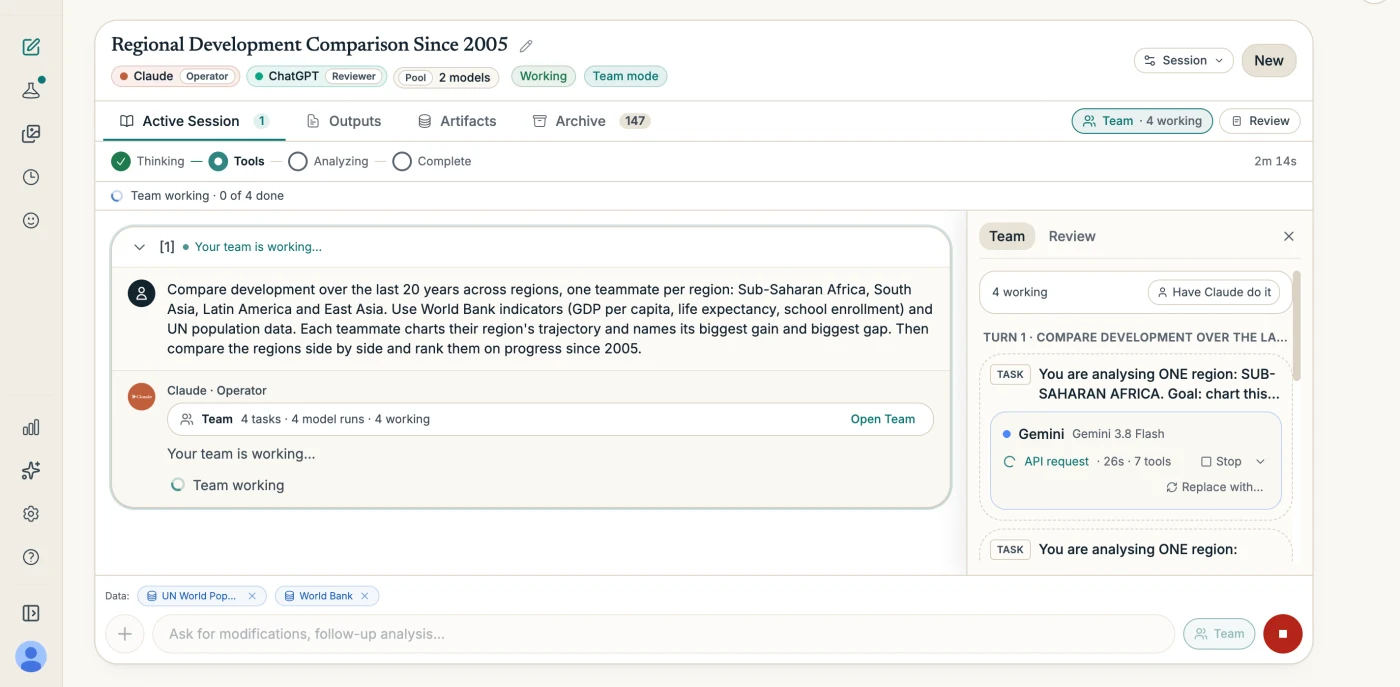
Put a frontier model in charge and give the legwork to faster, cheaper teammates. A second AI reviews the result. You approve every plan before anything runs, with the cost estimate in front of you.
You
Ask, with teammates in the pool
Bring your files or any of 38 data connectors, and add the models you want on the team.
Operator · your frontier model
Proposes a team, and what it will cost
A split, where each teammate takes a different part, or an independent panel, where several models work the same question on their own. When the work doesn't split, it tells you why and does it alone.
You
Approve it, or change it
Swap models, add panelists, drop tasks, or tell the operator to do the work itself. Nothing runs until you approve.
Teammates · up to five models
Do the legwork
Each works its task in the sandbox. Stop one, replace its model mid-run, or run a task again. Every reply is saved as a file.
Operator
Writes the one report
It brings the work together. A report built on a panel says at the top which models worked the question.
Reviewer · another model
Critiques it, never edits it
Prioritized points you triage, with Check independently on any of them.
How the report on this page was staffed
- Operator
- Claude
- Planned, checked the numbers, wrote the report
- Teammates
- Gemini, Mistral
- Two regions each
- Reviewer
- ChatGPT
- Four review points
Analyze works with Claude, ChatGPT, Gemini, Grok, Mistral, Cohere, Kimi, and GLM. Any of them can take any role, and the same provider can appear twice. Web only for now.
03For Salesforce orgs
NewYour Salesforce org, read from its source.
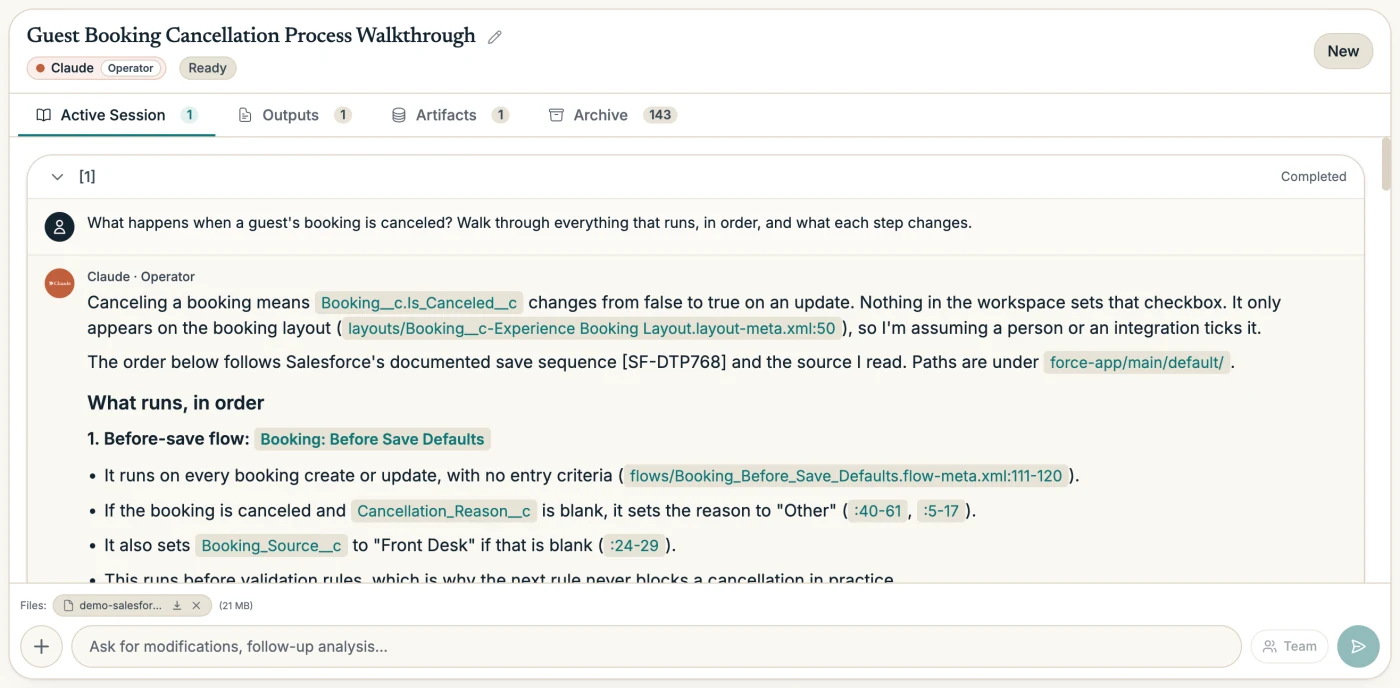
Upload the metadata you already pull and ask in plain language. Get answers cited to the file and line and to Salesforce's own documentation, diagrams you edit, and models you run again with your own numbers.
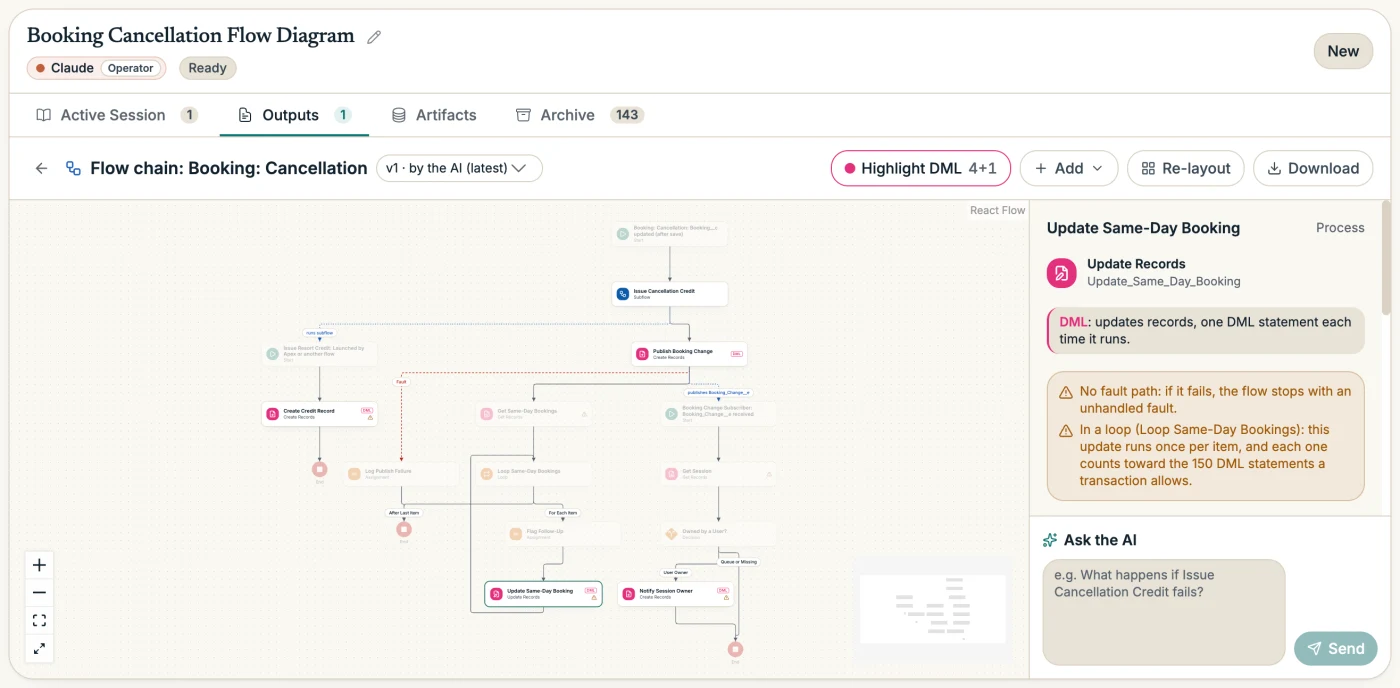
- Never connects to your org
- You upload metadata you already pulled. No org credentials, no deploys, no data writes.
- Your metadata, your sandbox
- The workspace is read in a private sandbox for your session, with no internet access.
- Org facts from your own CLI
- When metadata isn’t enough, your Claude Code or Codex gathers the facts, read-only.
16 jobs. Start from what you want back.
Pick the workspace, then the job. Or ask your own question and let the AI choose.
Answer
Read in the chat.
- Explain how something works
Diagrams
Edit by hand or by asking.
- Draw the data model
- Show a Flow and what it starts
- What runs when a record saves
Models
Change the inputs and run them again.
- What a change would touch
- Who can see these fields
- When we'll hit an org limit
Reports
PDF, PowerPoint, Word, or an interactive page.
- Troubleshoot an error
- Audit the workspace
- Review access and governance
- What sends email
- How email gets captured
- Compare two orgs
- What changed since an earlier pull
- Get ready for a release or a feature
- Hand off to a developer
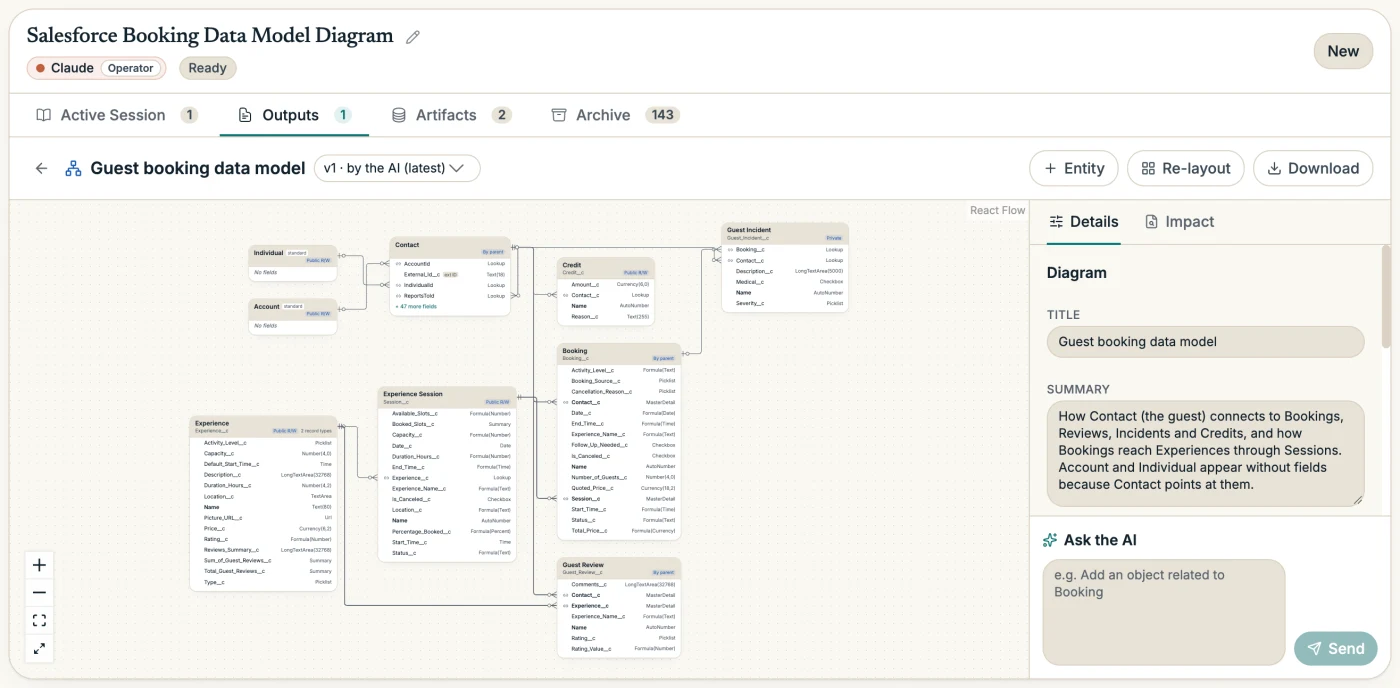
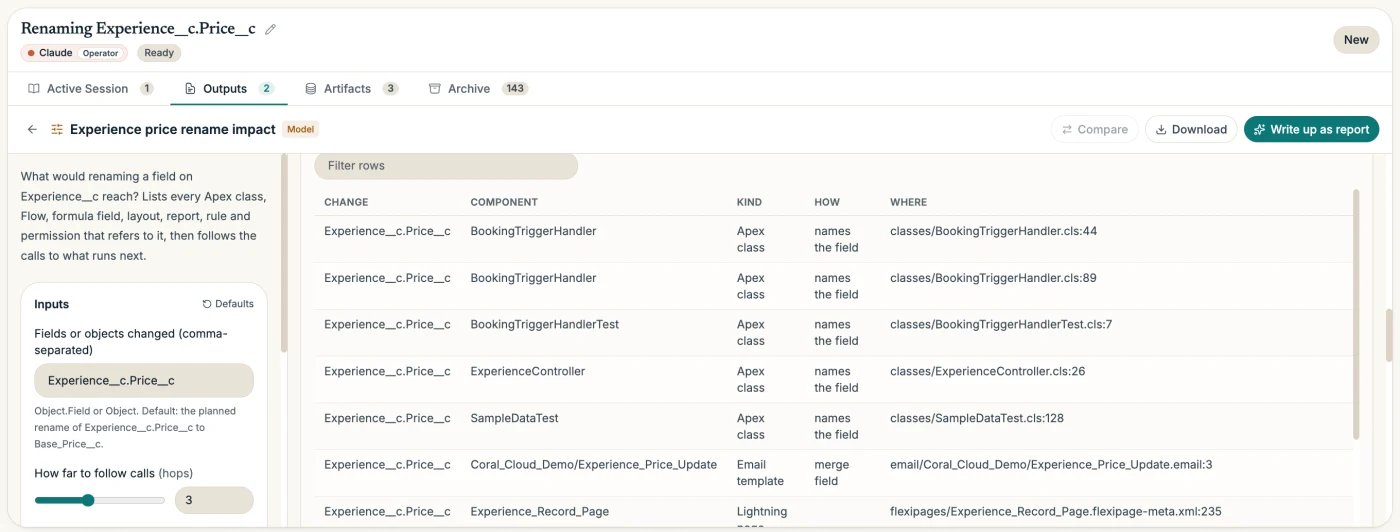
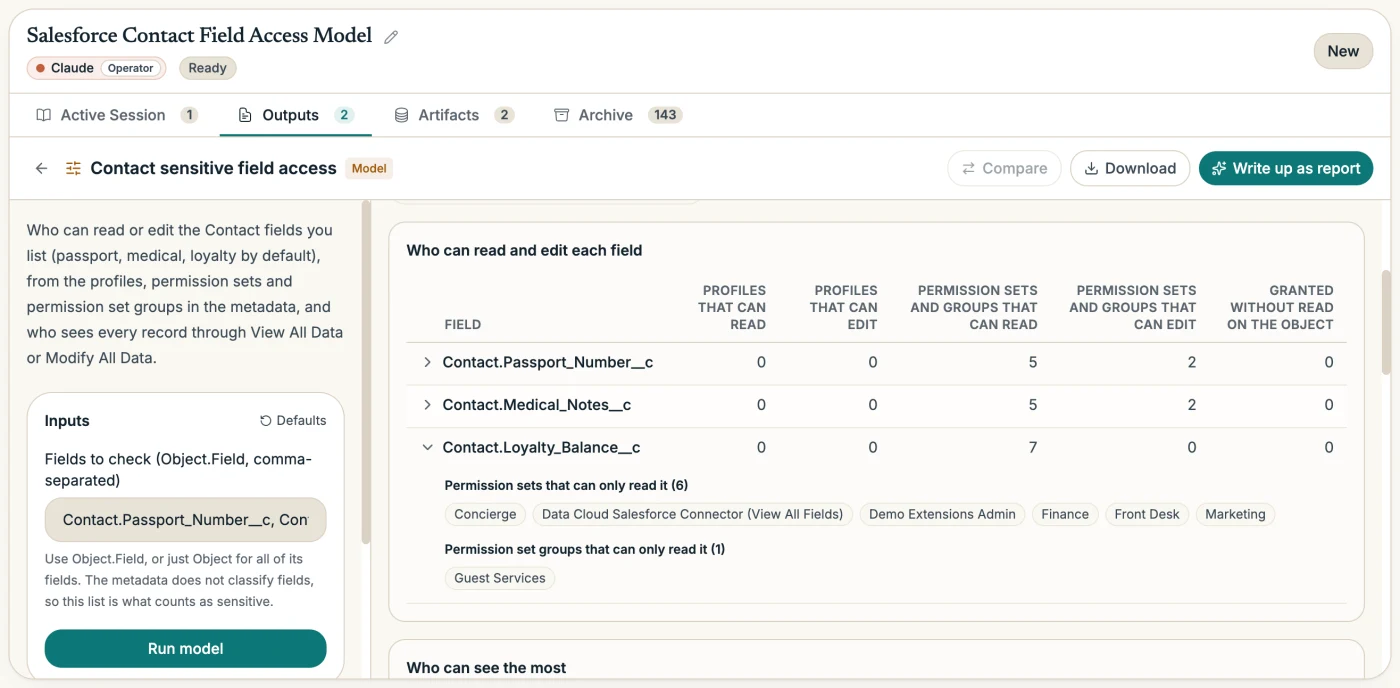
It cites what it read.
- Your org's behavior cites the file and line: a Flow element, a line of Apex, a validation rule.
- Platform facts cite a passage from Salesforce's documentation the AI actually received, or are marked unverified.
- The Reviewer checks each Salesforce claim against the passage it cites.
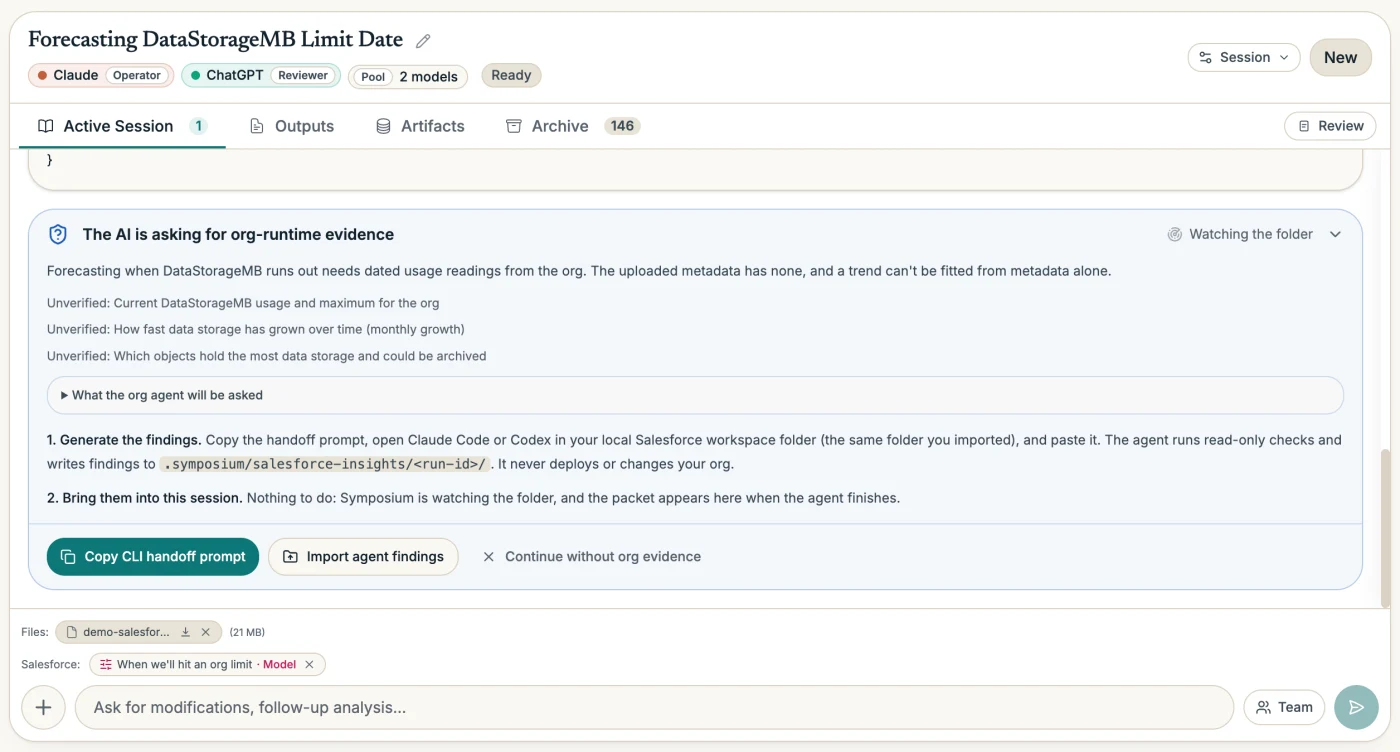
When the metadata isn't enough, it asks.
- 01The AI writes the questions. The run pauses with a brief: each question, why it matters, and the checks to run.
- 02Your CLI agent runs them. Paste it into Claude Code or Codex in your Salesforce project. It queries your org read-only and writes a findings packet.
- 03The packet comes back. In Chrome or Edge it appears on its own; elsewhere, import it from the folder.
Read real output from a demo org
For admins, architects, developers, release managers, and consultants.
Salesforce, Apex and Flow Builder are trademarks of Salesforce, Inc. Claude Code is made by Anthropic and Codex by OpenAI. Symposium AI is not affiliated with or endorsed by any of them. Screenshots show a demo org built from Salesforce's Coral Cloud sample app.
04Samples
Read the work before you sign up.
Real files from real Analyze sessions. Open one and follow a citation to its source.
- PDFDevelopment since 200512 pages, numbered citations, a sources appendix.Download · 0.9 MB
- PPTXThe same report, as a deck32 slides with the report’s charts and tables.Download · 1.5 MB
- DOCXThe same report, in WordEditable, with the same headings and tables.Download · 1.0 MB
- HTMLThe interactive pageLive charts and a Sources page, in your browser.Open · 114 KB
- XLSXThe data behind itThe workbook the report was built from.Download · 0.5 MB
- MODELMortgage affordabilityFRED readings, each scenario, and a script that runs it again with Python.Download · 81 KB
05Who it's for
People who have to show their sources.
06On iPhone and Android
Ten AIs in your pocket.
Chat, Compare, Debate, and Create all start at one prompt bar. Pick up to three AIs and let them check each other.


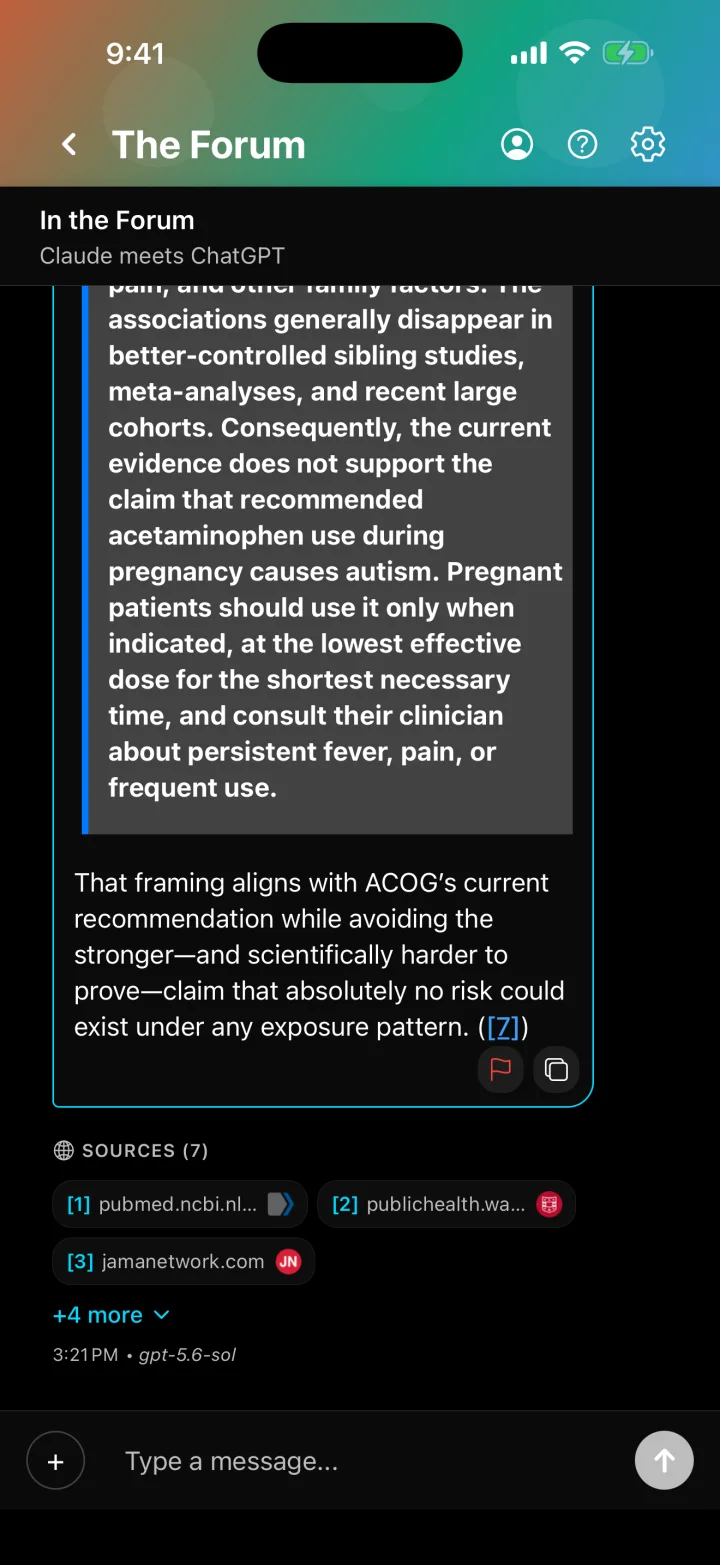
Multi-AI chat
The Forum
Up to three AIs in one conversation, with cited web search.
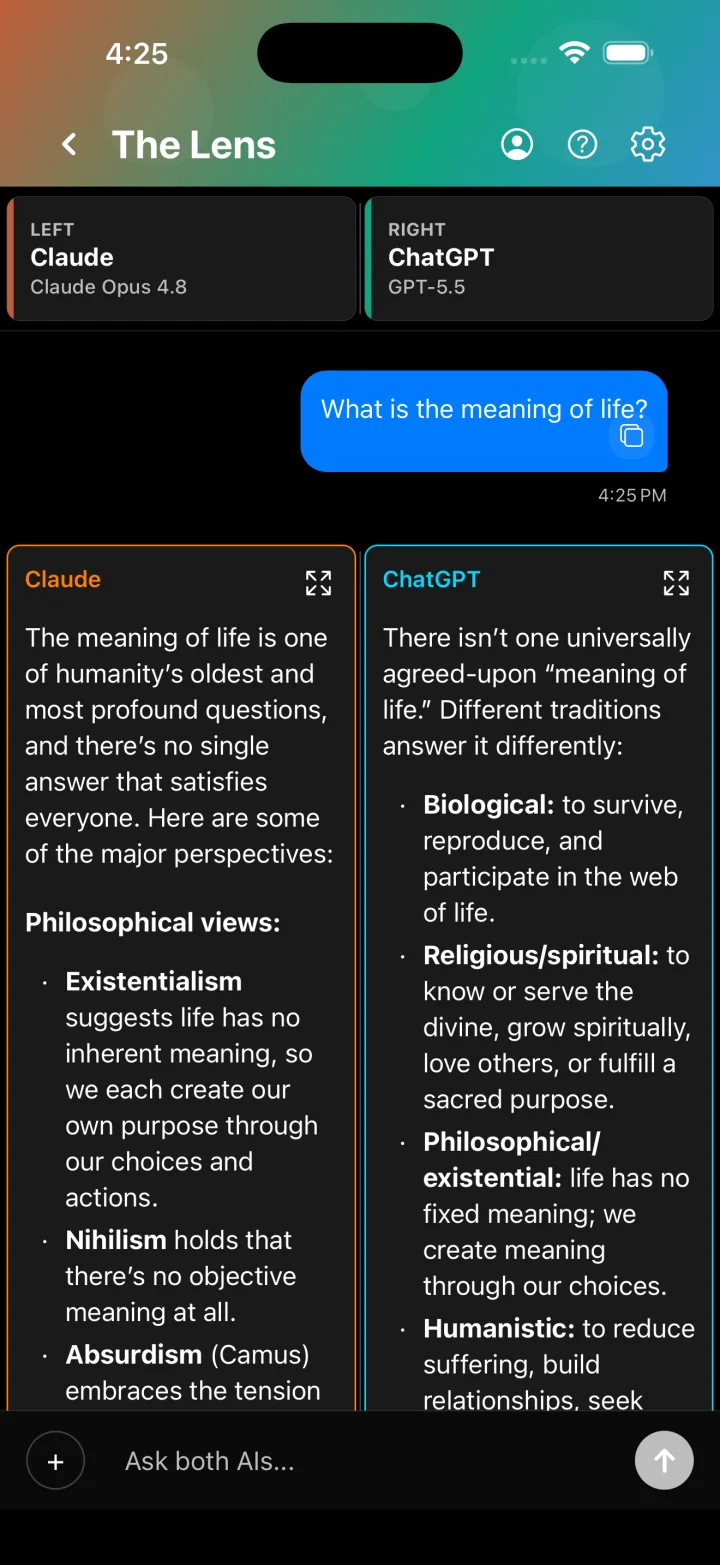
Compare
The Lens
Two answers side by side. Keep going with the better one.
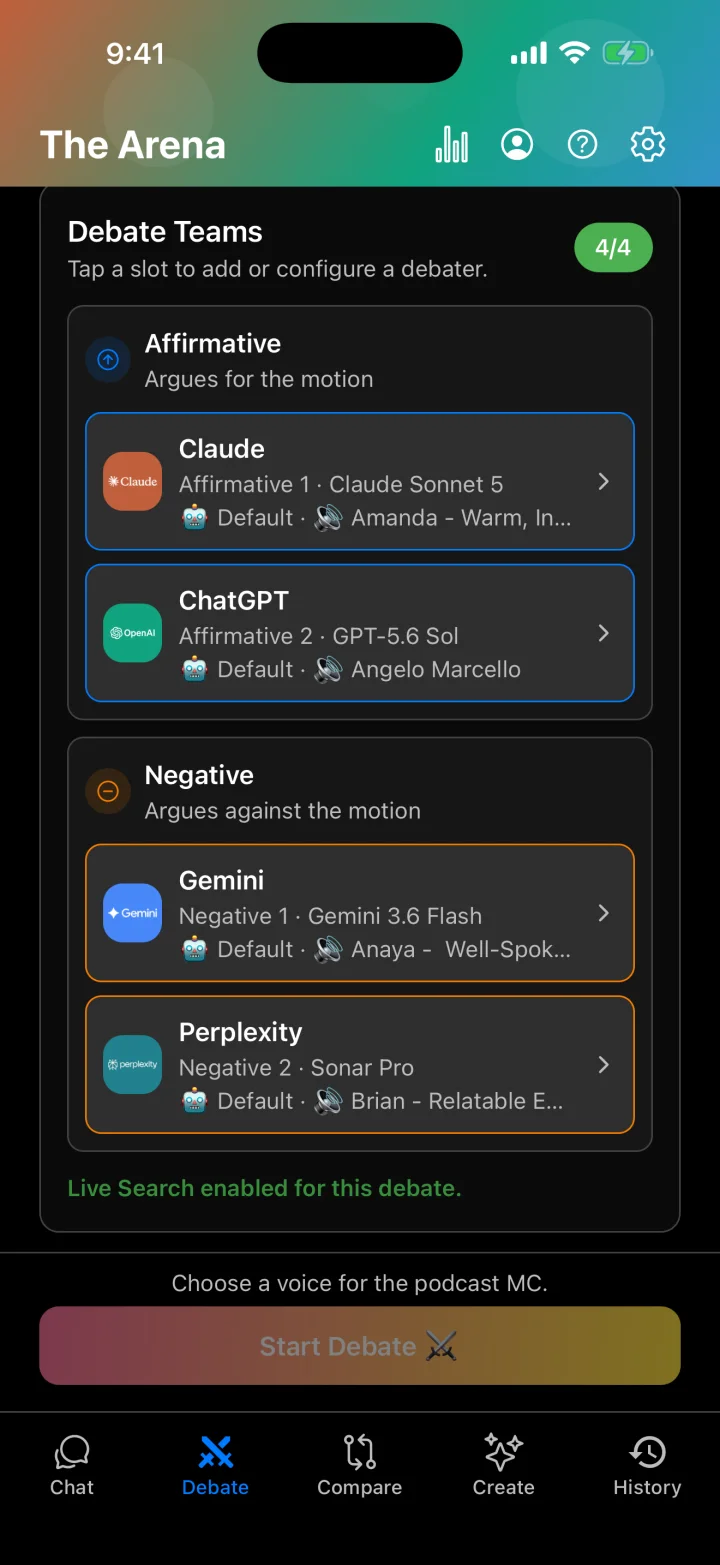
Debate
The Arena
Two to four AIs argue a motion, with scoring and voting.
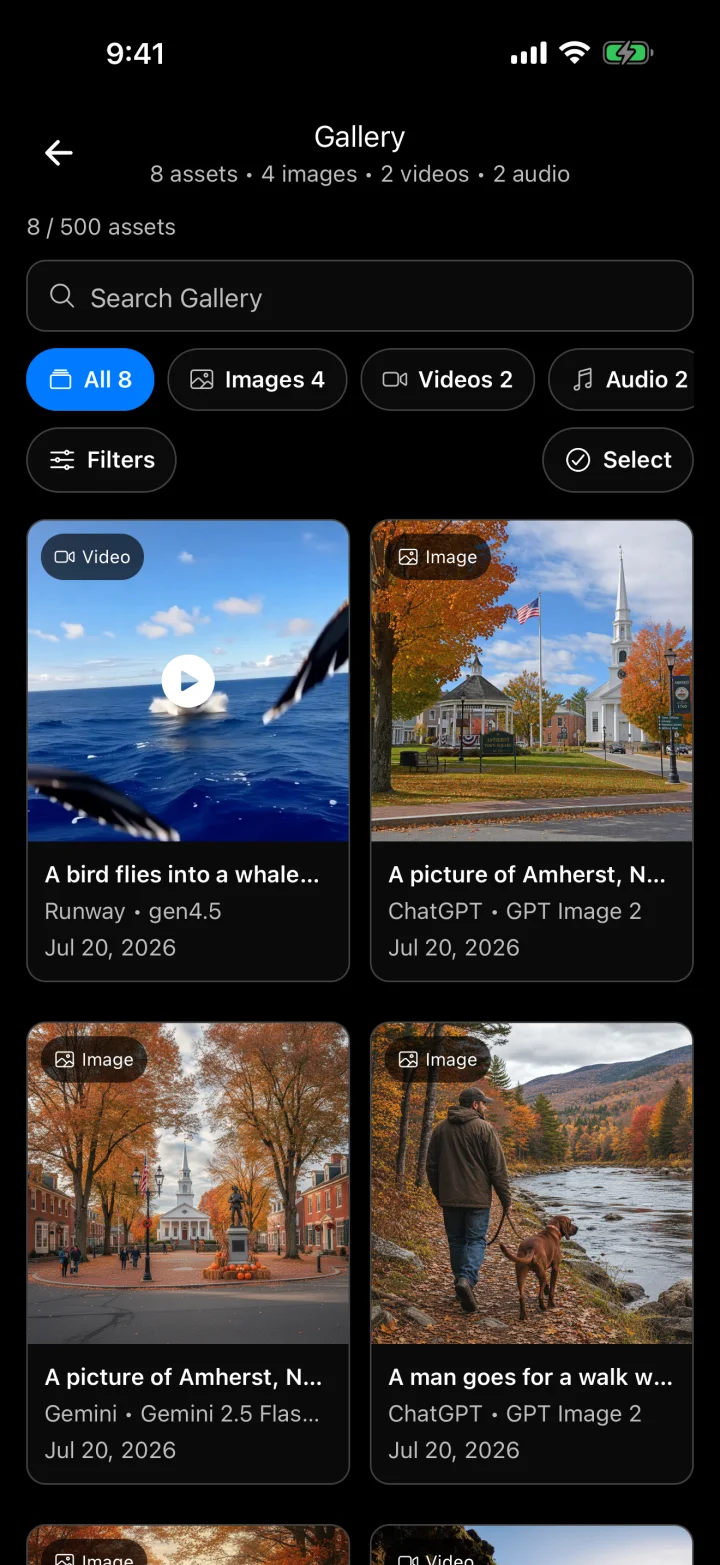
Create
The Studio
Images, video, and audio from several providers, one composer.
Also inside: attachments on your first message, Oxford, Lincoln-Douglas, and Policy debate formats with ElevenLabs voices, video through Runway, eight AI personalities, and Expert Mode with live model pricing.
07Pricing
Your keys. Provider prices. One $5.99 app.
Two bills, both plain: the app, and whatever your providers charge for what you use. No markup, no caps, and the price is shown before you send.
The app
$5.99 a month
7-day free trial, on the web, iPhone, and Android.
- Analyze, Chat, Compare, Debate, and Create
- Every supported provider, plus web search with cited sources
- Exports: PDF, PowerPoint, Word, Excel, interactive page
- Image, video, and audio generation
On mobile, also $49.99 a year or $129.99 once for lifetime access. Cancel anytime.
Your provider bill
At cost
Billed by OpenAI, Anthropic, Google, and the others.
- A frontier model where it matters, faster ones for the legwork
- Web: keys are stored AES-256 encrypted on the server and never sent to the browser
- Mobile: keys stay on your device
If you run frontier models all day, your API bill will look like a subscription.
Try it free. 20 sessions on the web with your own keys, 5 each for chat, compare, debate, and analyze. Demo Mode on mobile needs no account.
Live sessions require your own provider API keys plus free sessions, an active trial, or a subscription.
Start with one question.
Sign in, add a key, and ask. Every report gets a second opinion.