
Analyze mode, on the web
An analysis that shows its work.
Ask a question about your data or the world's. One AI writes and runs the code, teammates you approve can take parts of the job, a second AI checks the result, and every figure is traced to where it came from. You get back an answer, a report, a model or a diagram, and you keep working with it.
01How a run works
Pick the roles, then ask.
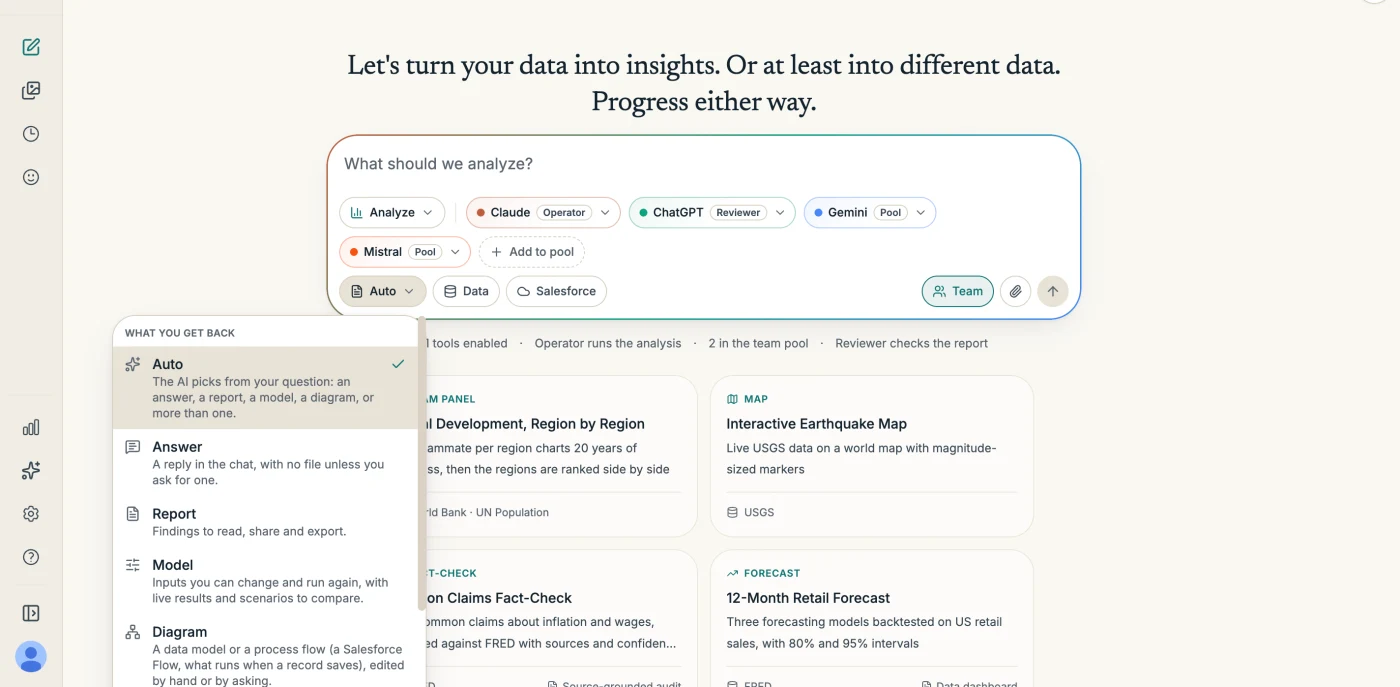
Choose an Operator to do the work and a Reviewer to check it, add models to a team pool if you want help, and start from your own question or one of the example prompts.
- 01You ask, with your data or ours
- Upload files (CSV, Excel, JSON, PDF, images, up to 100 MB each), pick data connectors, choose what you want back or leave it on Auto, and ask in plain language.
- 02The Operator does the work
- One AI runs a real tool-use loop: it writes and runs Python in a private sandbox, searches the web, fetches data, and keeps going from its own results until the job is done.
- 03It keeps running without you
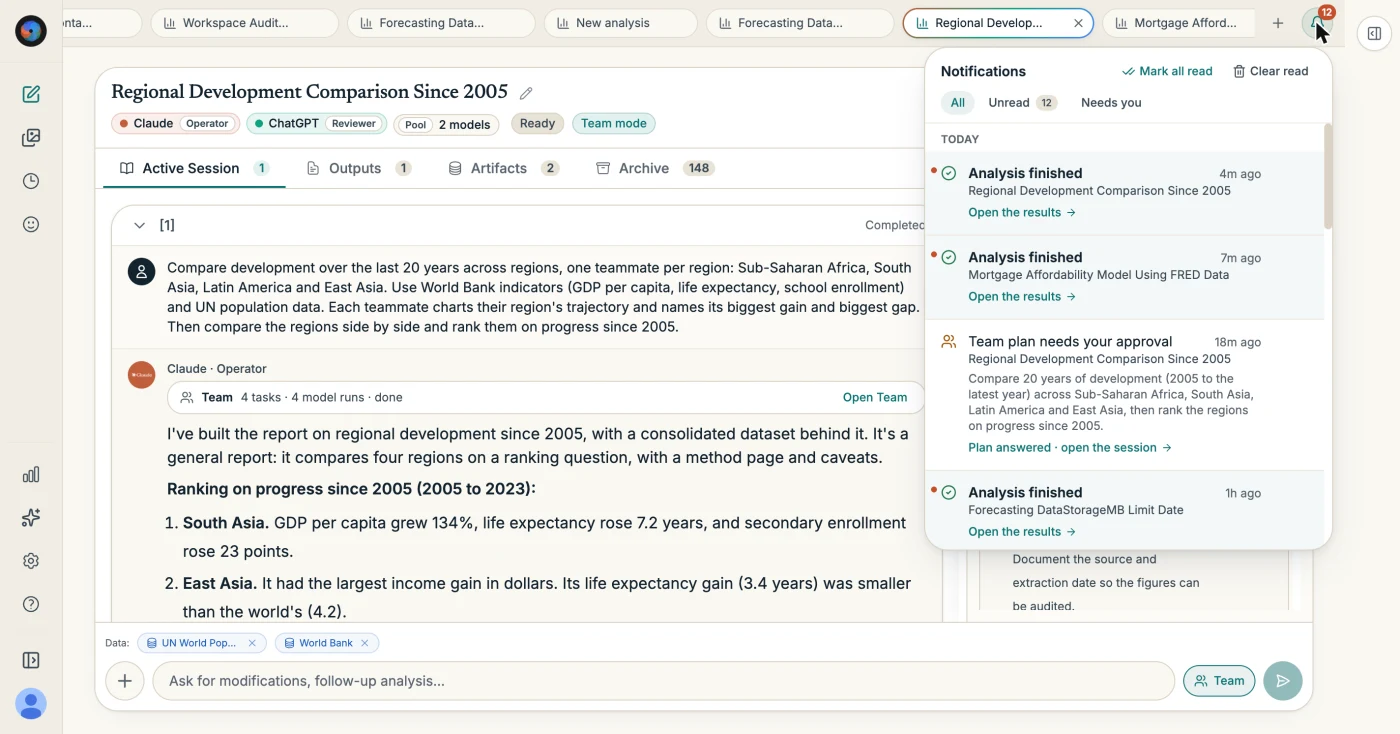
- Analysis runs on our servers, so you can close the tab or the laptop and come back to a finished result. Run several at once, each in its own tab; the bell tells you when one needs you or is done.
- 04A second AI checks it
- The Reviewer reads every report and returns prioritized points. You choose which go back to the Operator.
02Team mode
A team you approve before it starts.
Turn on Team mode and the Operator proposes a plan: an independent panel, where several models work the same question and the Operator compares their answers, or a split, where each takes a different part. Nothing runs until you approve it.
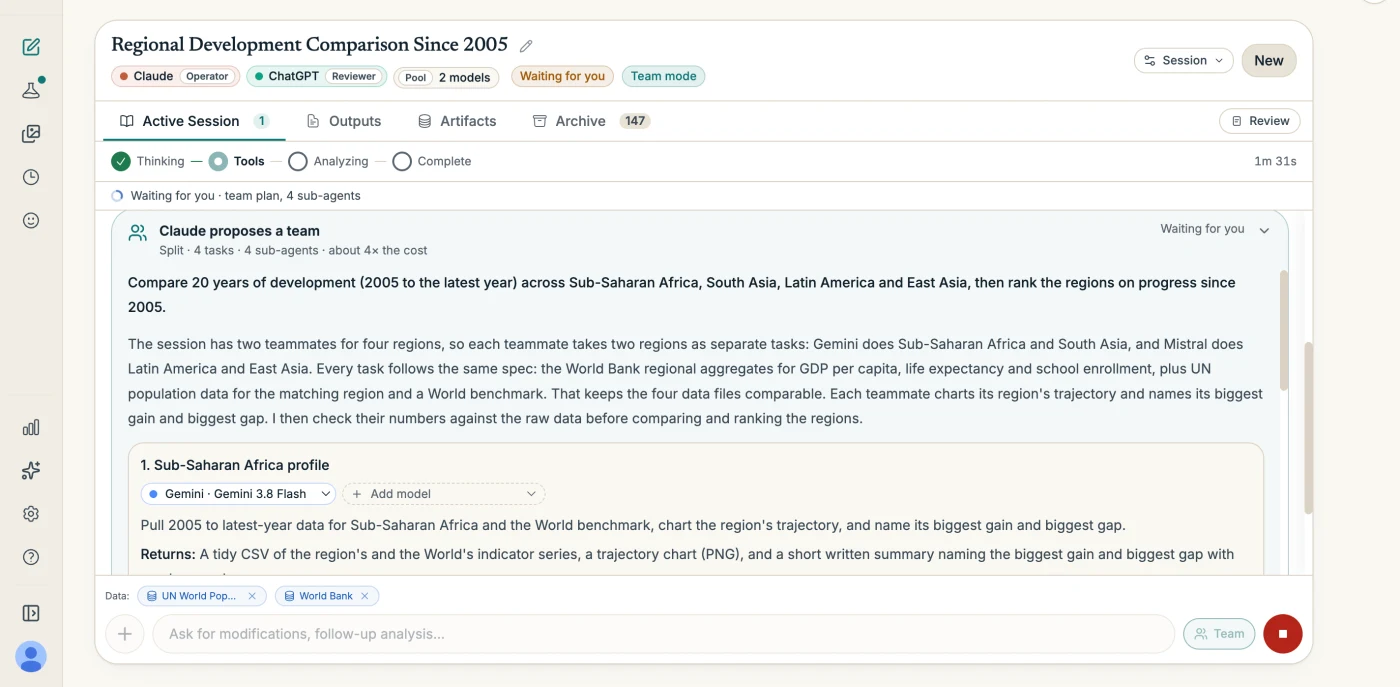
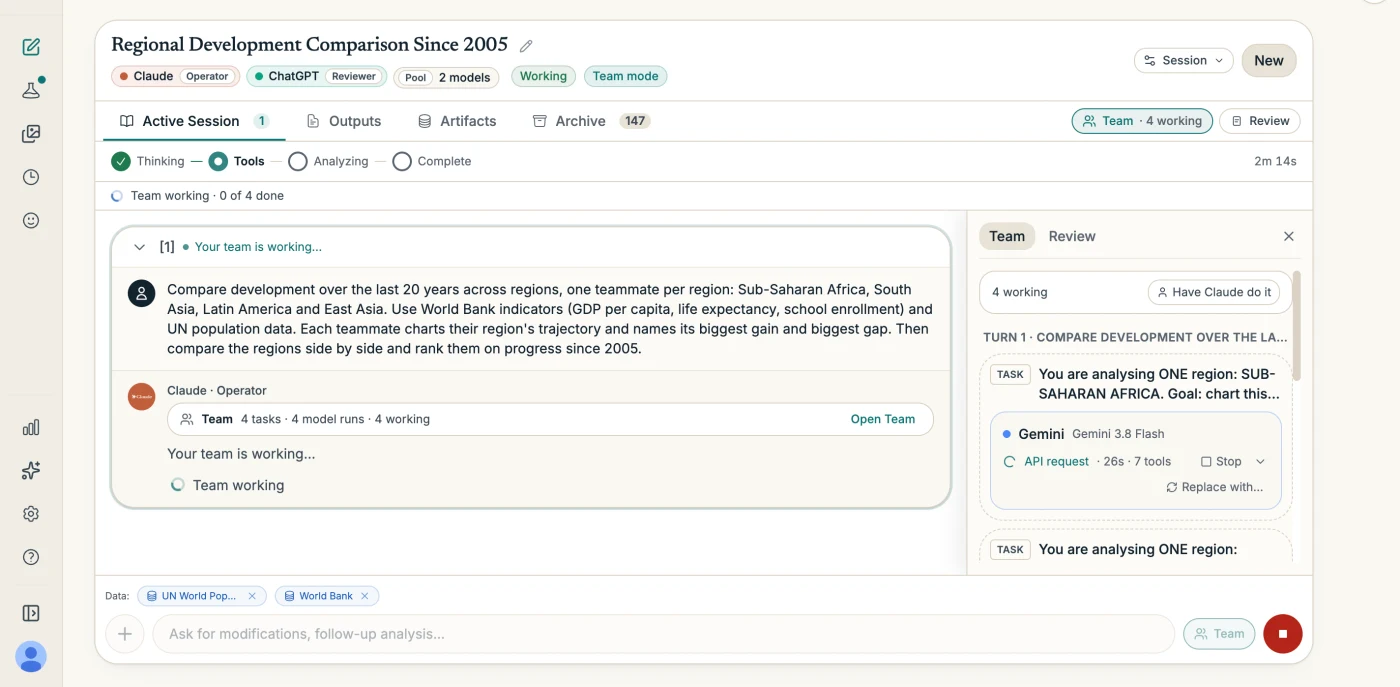
One Operator writes the report from its teammates' work. The Reviewer checks it like any other report.
03Review
A second AI checks the work, and can redo it.
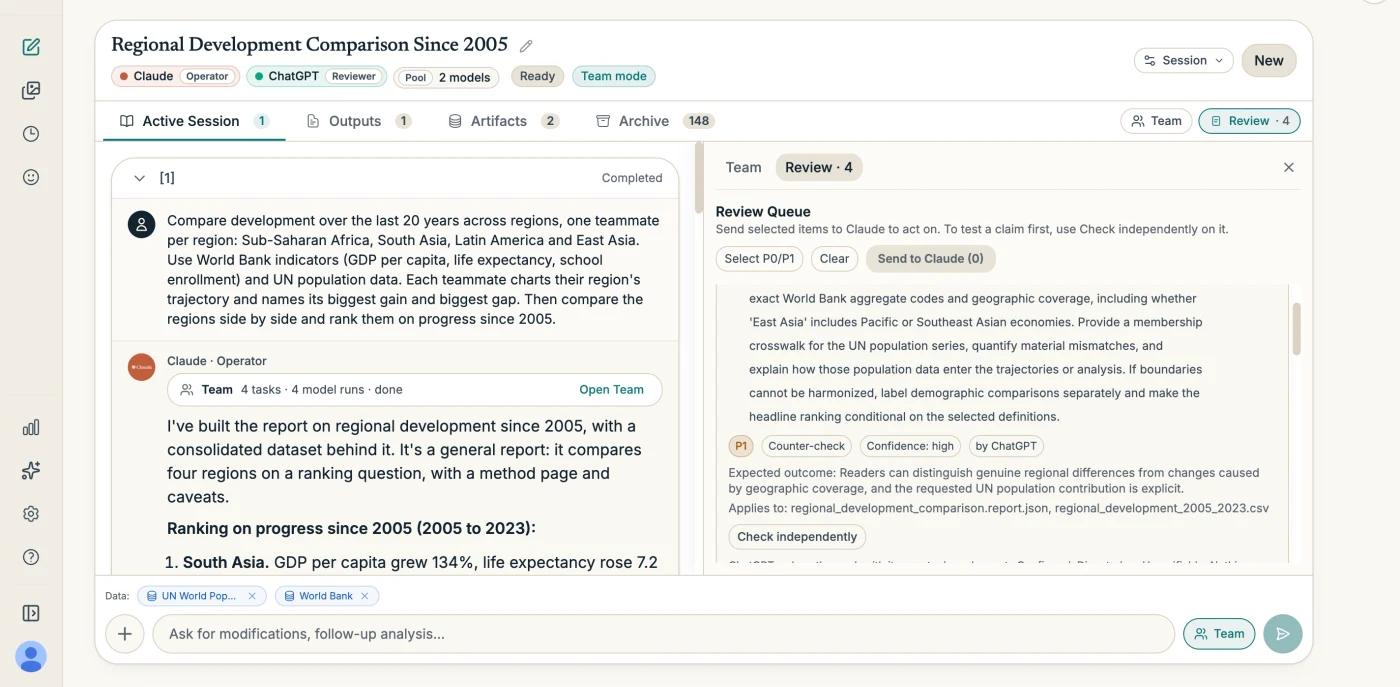
The Reviewer reads every report and returns prioritized points, each with its confidence and the files it applies to. It never edits the report.
- Check independently sends a point to a different AI that re-fetches the sources and redoes the numbers, then marks it Confirmed, Disputed or Unverifiable with its evidence.
- Nothing changes until you choose which points go back to the Operator.
04What you get back
Outputs you keep working with.
Pick one, or leave it on Auto and the AI picks from your question. Reports, models and diagrams are kept in your Library.
Answer
A reply in the chat, with no file unless you ask for one.
Report
Findings to read, share and export: PDF, PowerPoint, Word or an interactive page, plus an Excel workbook of the data behind it.
Model
Inputs you change and run again, with results that update. Name scenarios, compare any two, or download it to run on your own computer.
Diagram
A data model or a process flow you edit by hand or by asking. Every save is a version you can go back to.
Simulation
A process run many times to show where work waits and what more staff would do, as a model whose scenarios you compare.
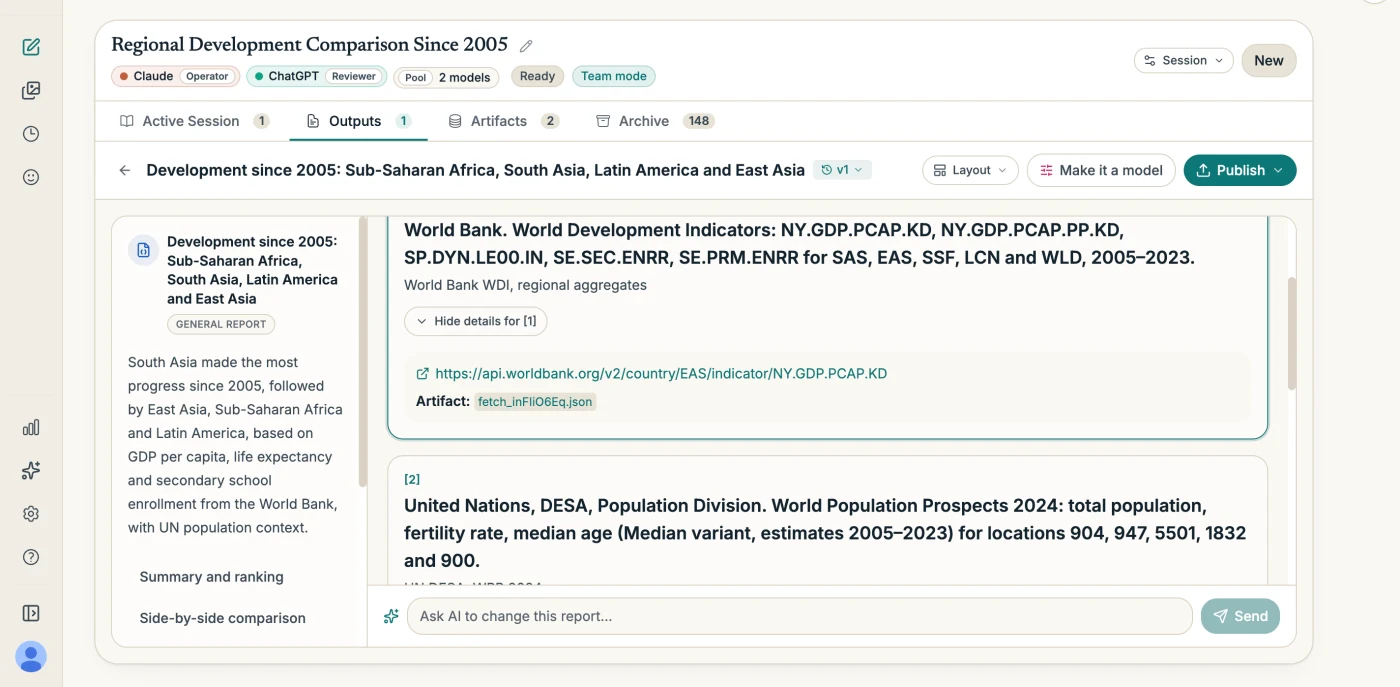
05Primary sources
38 data connectors, built in.
The Operator fetches from the source, not from a search snippet, and every fetch records the request, the time and a fingerprint of the response.
- Weather
- Weather.gov (NOAA), OpenWeatherMap
- Finance
- FRED (Federal Reserve), SEC EDGAR, Yahoo Finance
- Science
- USGS Earthquake Data, arXiv, Semantic Scholar, PubMed / NIH
- Reference
- Wikipedia, Wikidata, Open Library, Dictionary API
- Academic
- Crossref, OpenAlex
- Health
- ClinicalTrials.gov, openFDA, WHO Global Health Observatory
- Government
- US Census Bureau, NASA Open APIs, EPA Envirofacts, FBI Crime Data (UCR), World Bank, Socrata / data.gov
- Economics
- Bureau of Labor Statistics, OECD SDMX, IMF DataMapper, Eurostat, UN World Population Prospects
- Developer
- npm Registry, Hacker News, PyPI, Stack Exchange, Libraries.io, GitHub
- News
- NewsAPI
- Geography
- OpenStreetMap / Overpass
- Data
- Google Sheets / CSV
06On our servers
Several analyses at once.
Each analysis runs in its own tab and keeps going when you close it. The bell says when a plan needs your approval and when an analysis is done.
07Your data
Where your files go.
- Files you upload, data the AI fetches, the code it writes and the files it produces run in a private, isolated sandbox for your session, hosted by our code-execution provider E2B, with no internet access.
- Uploads are also kept with the session in our cloud storage, so they are restored if the sandbox is recycled. Sandboxes are deleted after 7 days of inactivity, when you delete the session, or when you delete your account.
- Your provider keys are stored AES-256 encrypted on our servers and never sent to your browser. You pay each provider directly, at their prices, with no markup.
Analyze needs a provider with function calling: Claude, ChatGPT, Gemini, Grok, Mistral, Cohere, Kimi, or GLM. The details are in the privacy policy.
Start from an example, or from your own data.
Sign in, add a key, and pick an example prompt. Working on a Salesforce org? See Analyze for Salesforce.