Analyze on the web. Ten AIs on every device.
An analyst team of AIs that shows its work.
Where Ideas Converge. Where Understanding Emerges.
Ask about your data or the world's. One AI runs the analysis, teammates you approve take parts of it, and a second AI checks the result, with every figure traced to its source. On every device, chat with ChatGPT, Claude, Gemini and seven more, with your own API keys.
20 free sessions on the web with your own keys. Demo Mode on mobile needs no account at all.
Works with
- Claude

- ChatGPT

- Gemini

- Perplexity

- Mistral

- Cohere

- DeepSeek
- Grok

- Kimi

- GLM

- Runway (video)
- ElevenLabs (audio)
01New on the web
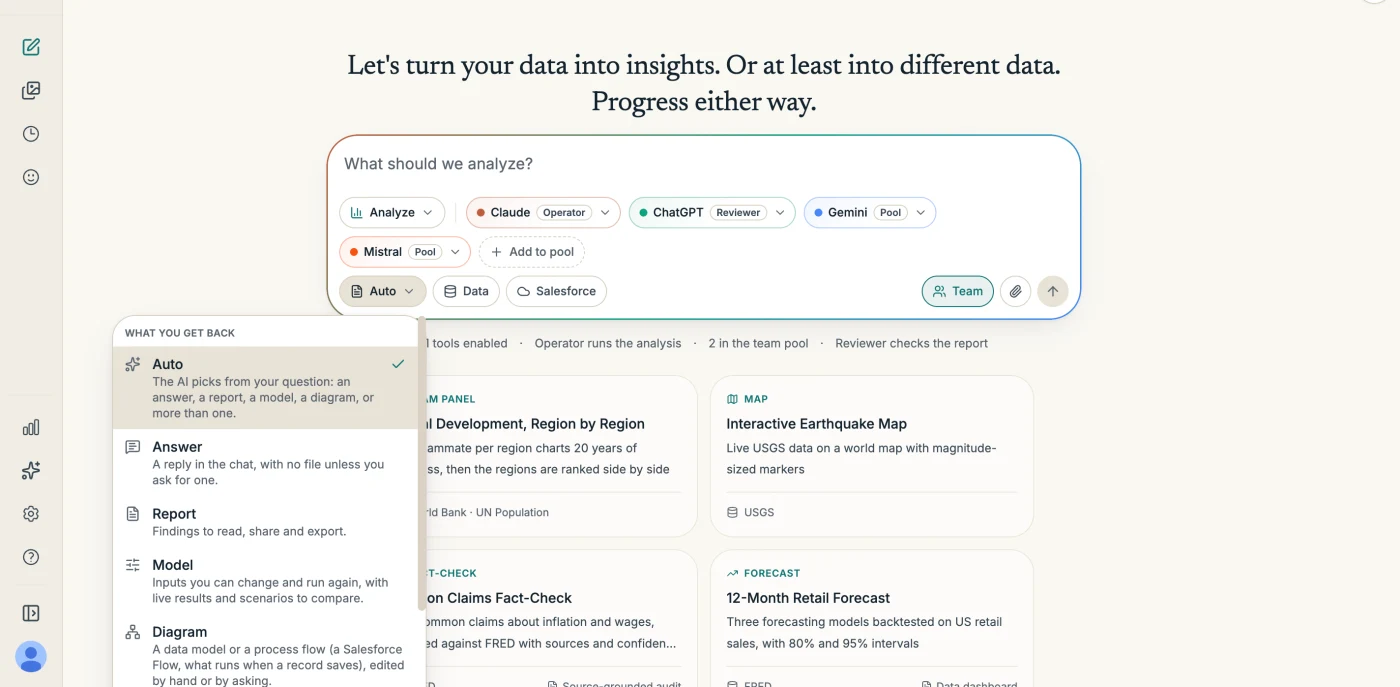
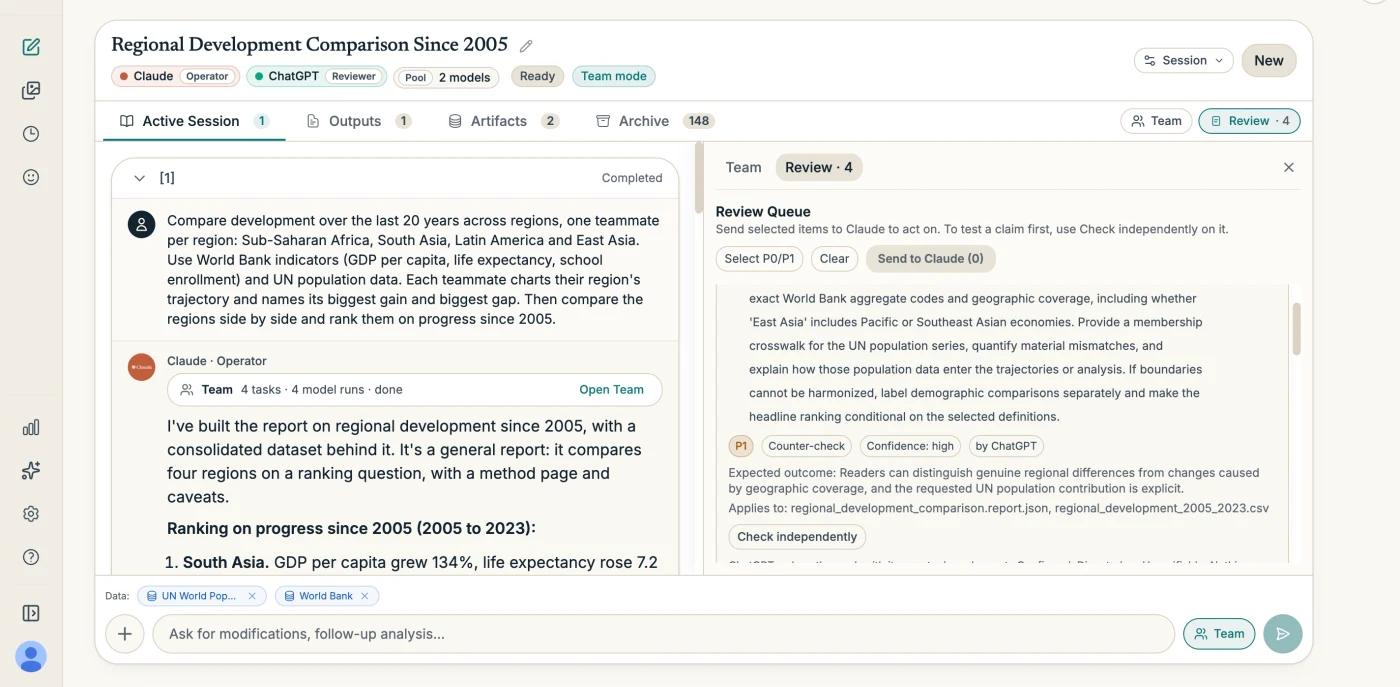
Analyze: an AI that shows its work.
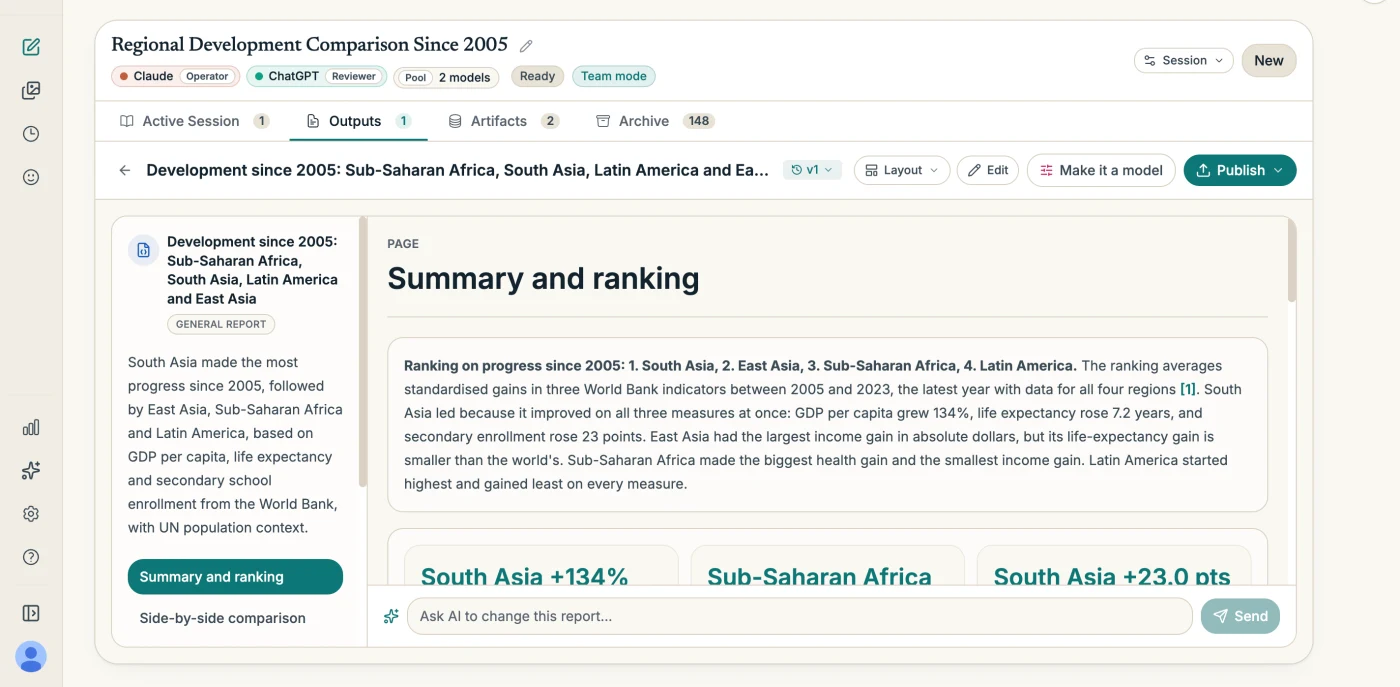
Give it a question and your data. One AI writes and runs the code, a second AI critiques the result, and every figure is traced to its source. Agentic AI, with a human at the gate.
- 01You set the table
- Upload files (CSV, Excel, JSON, PDF, images, up to 100 MB each), pick from 38 built-in data connectors, choose what you get back (an answer, a report, a model, or a diagram) or leave it on Auto, and ask in plain language.
- 02The Operator works
- One AI runs a genuine tool-use loop: it writes and runs Python in a private sandbox on our servers, searches the web, and fetches data, then continues from its own results until the job is done. Close the tab and it keeps going. Turn on Team mode and it proposes a plan for several AIs, which runs only once you approve it.
- 03The Reviewer pushes back
- A second AI reviews every report and returns prioritized critiques. It never edits the report. On any point, Check independently has a different AI re-fetch the sources and redo the numbers. You choose which items go back to the Operator.
- 04Outputs you keep
- A report you publish as PDF, PowerPoint, Word, or an interactive page, plus an Excel workbook of the data behind it; a model you run again with your own numbers; a diagram you edit. Every sourced figure carries its provenance.
- Your files stay in your sandbox
- Uploads go into a private Python sandbox for your session on our servers, with no internet access, and are kept with the session in our cloud storage. The model sees what its code prints and the pages it opens.
- Provenance is captured, not curated
- Every fetch records the request, the time, and a response fingerprint. They flow into inline markers, a Sources panel, and an appendix in every export.
- Real data only
- The Operator is instructed never to invent, sample, or guess values, and never to fall back silently to training data. If it cannot get the data, it says so.
Analyze needs a provider with function calling: Claude, ChatGPT, Gemini, Grok, Mistral, Cohere, Kimi, or GLM. Web only for now.
Who uses it
For Salesforce orgs
Upload your org's metadata and get answers cited to the file and line, Flows drawn like Flow Builder, and models of change impact, field access and org limits. Read-only: it never connects to your org.
02On iPhone and Android
Composer-first, everywhere.
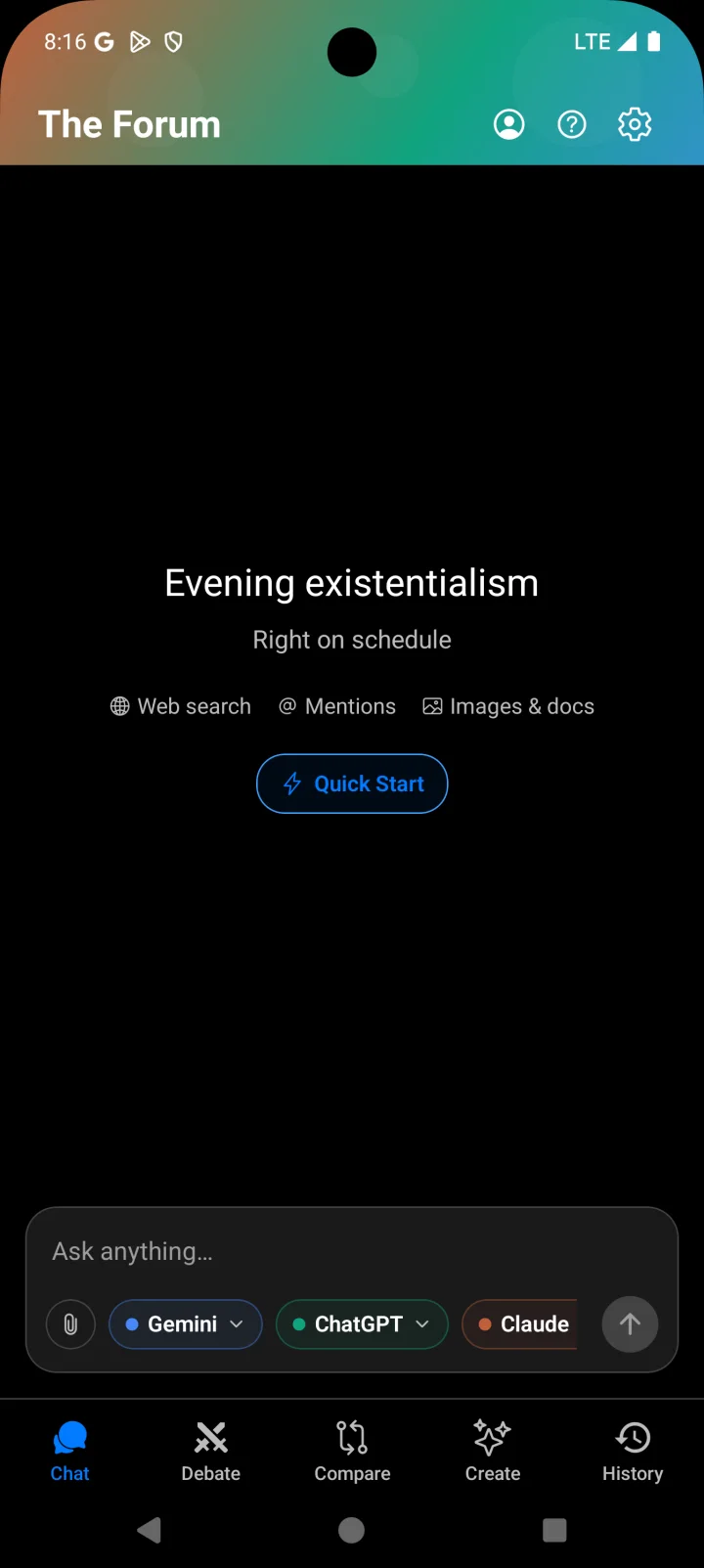
Chat, Compare, Debate, and Create all begin at a single prompt bar. Tap to pick your AIs, attach what you need, and go. No setup screens between you and the conversation.
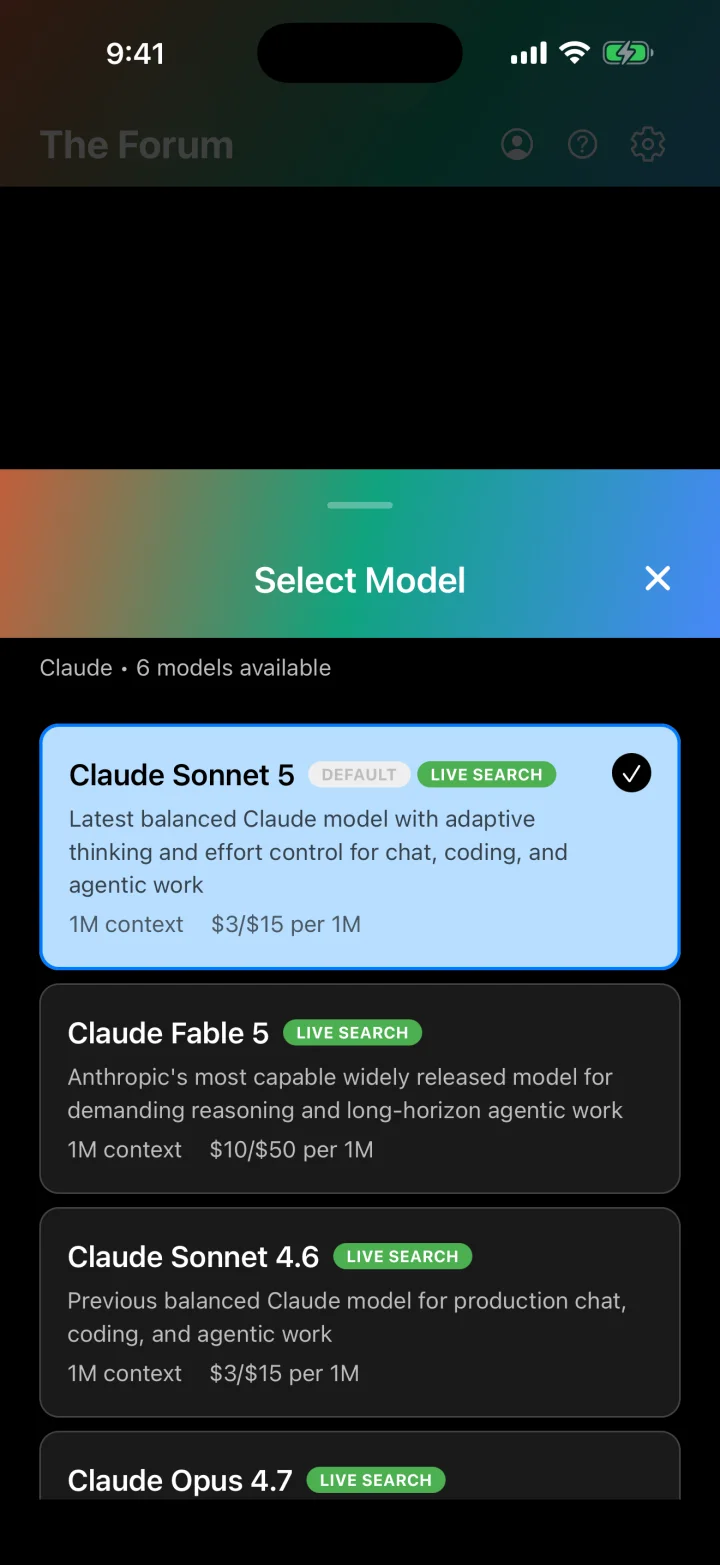
- Pick providers and models with a tap. Each pill shows what it will run and what it costs.
- Attach images and documents before the first message.
- Sending starts the session. There is no separate Start button.
- A live status line while responses stream in, and smoother keyboard handling on every screen.


03The modes
Five rooms, one prompt bar.
Each mode has its own room and its own name in the app. All of them start the same way.
01Multi-AI chat
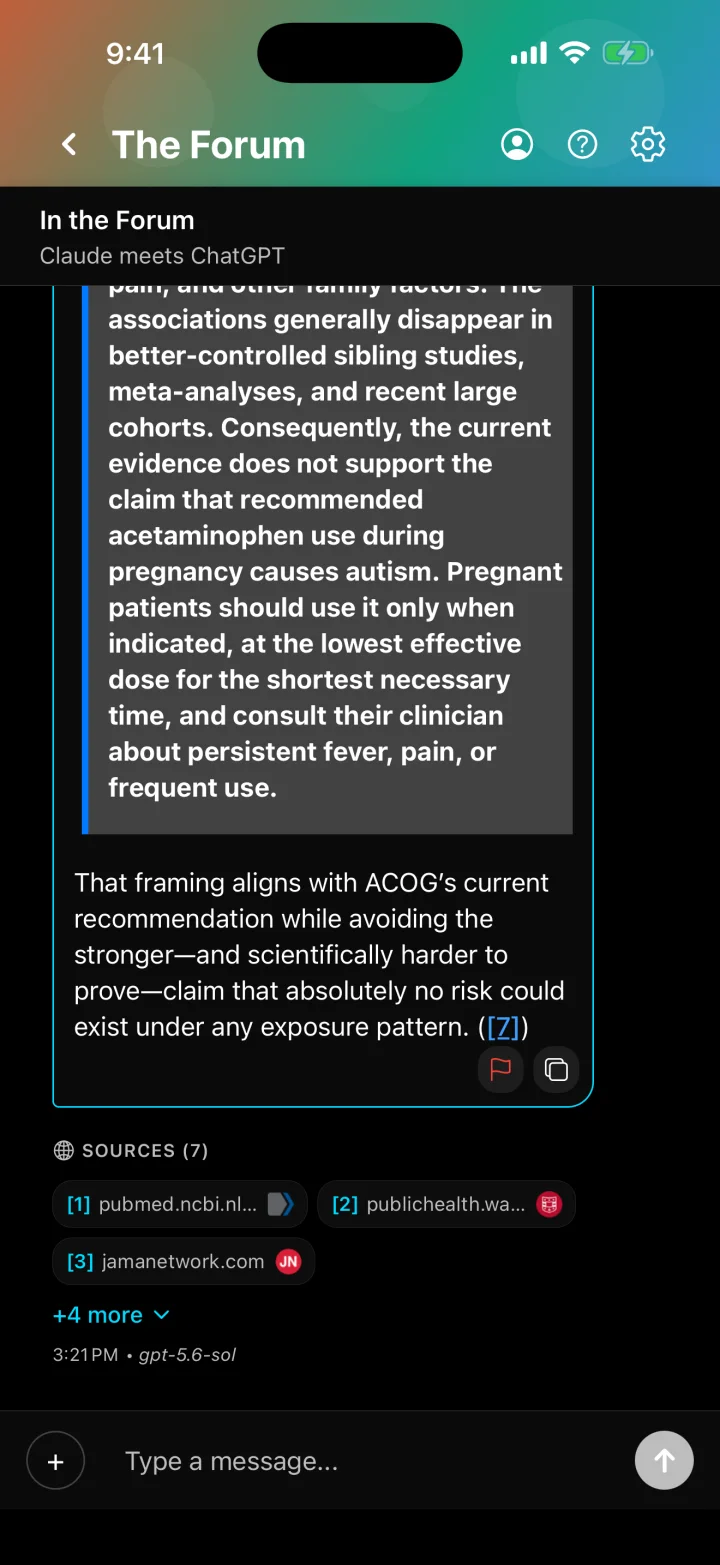
The Forum
Pick up to three AIs and get answers from all of them in one conversation, so they can check each other in real time.
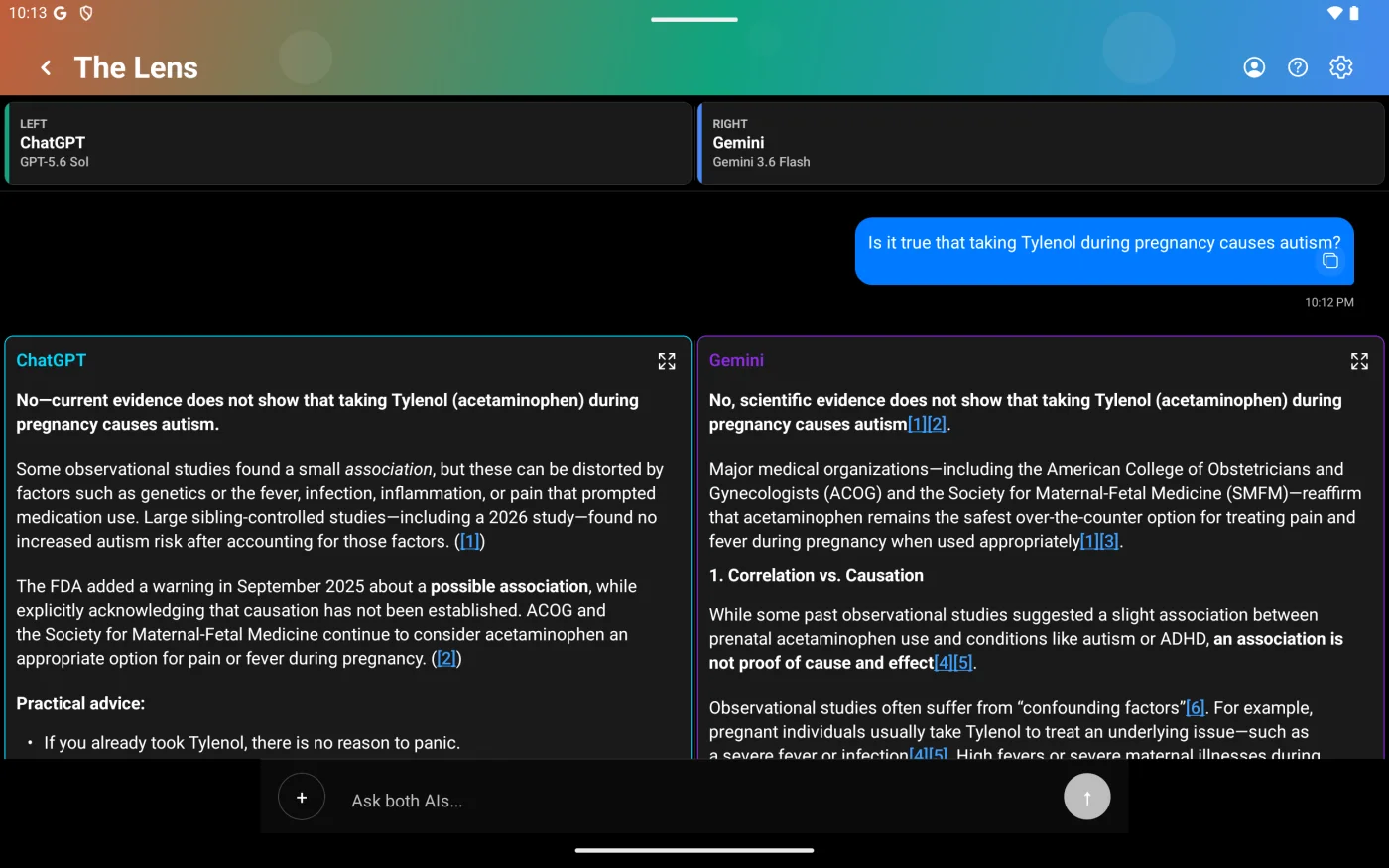
02Compare
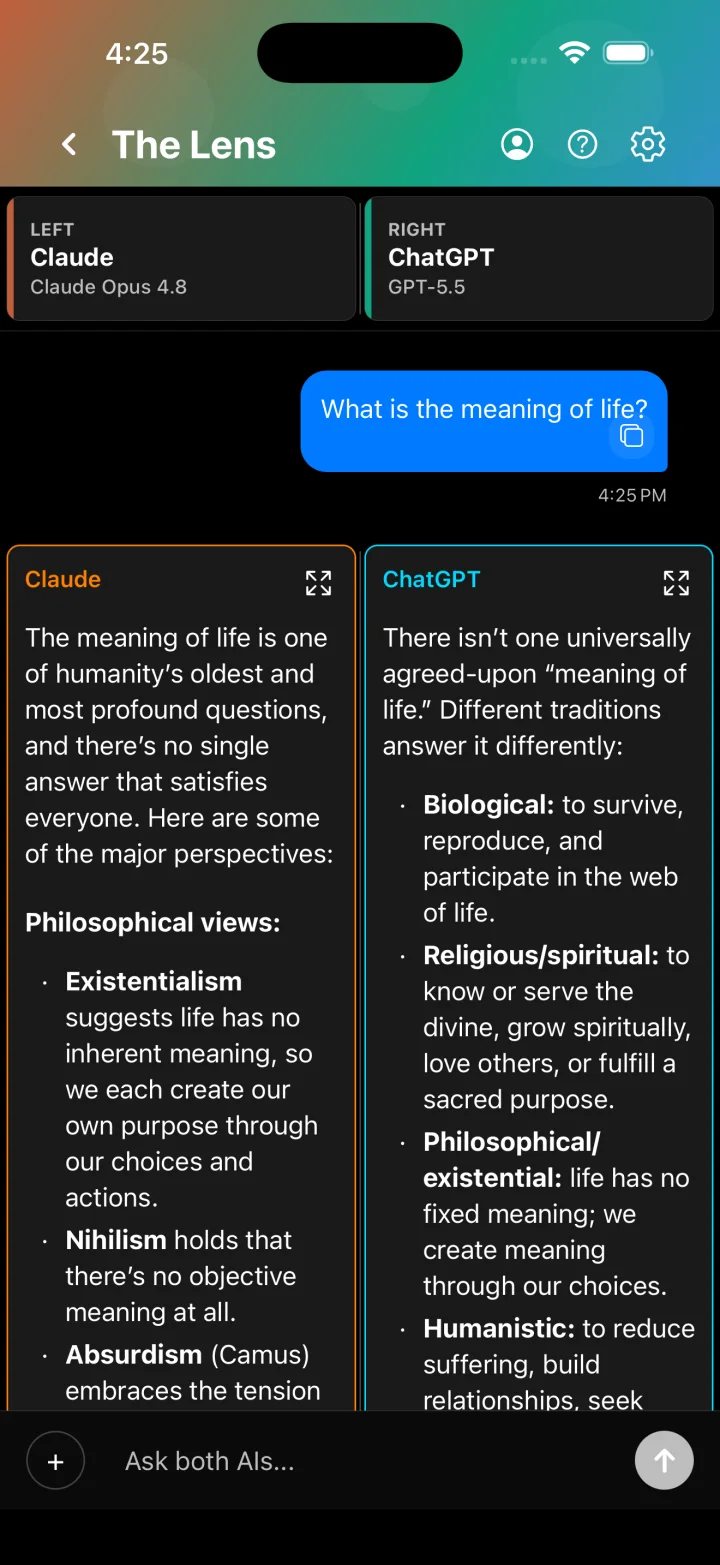
The Lens
Ask one question, get two answers side by side, then continue with the one you preferred.
03Debate
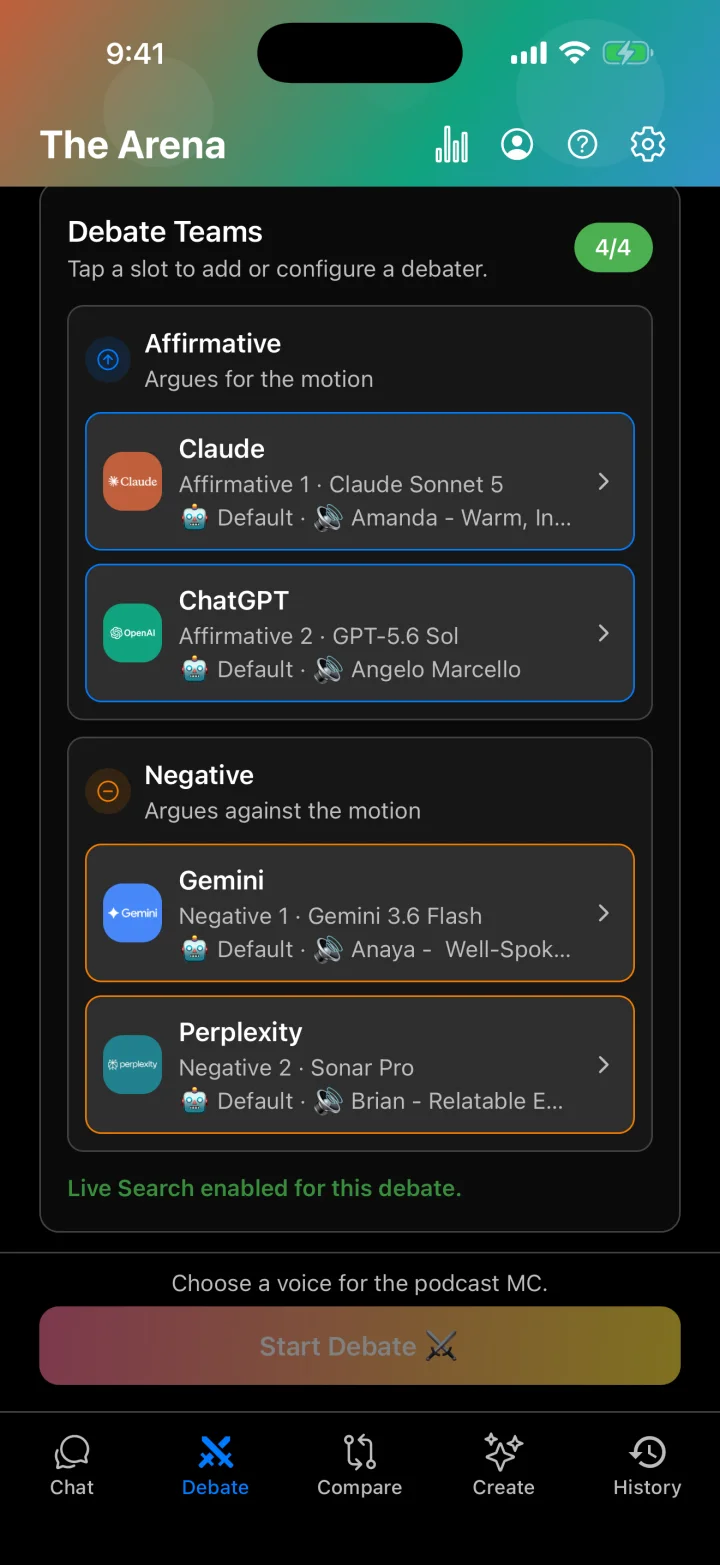
The Arena
Pick a motion, a format, and two to four debaters, then watch them argue live with scoring, audience voting, and leaderboards.
04Create
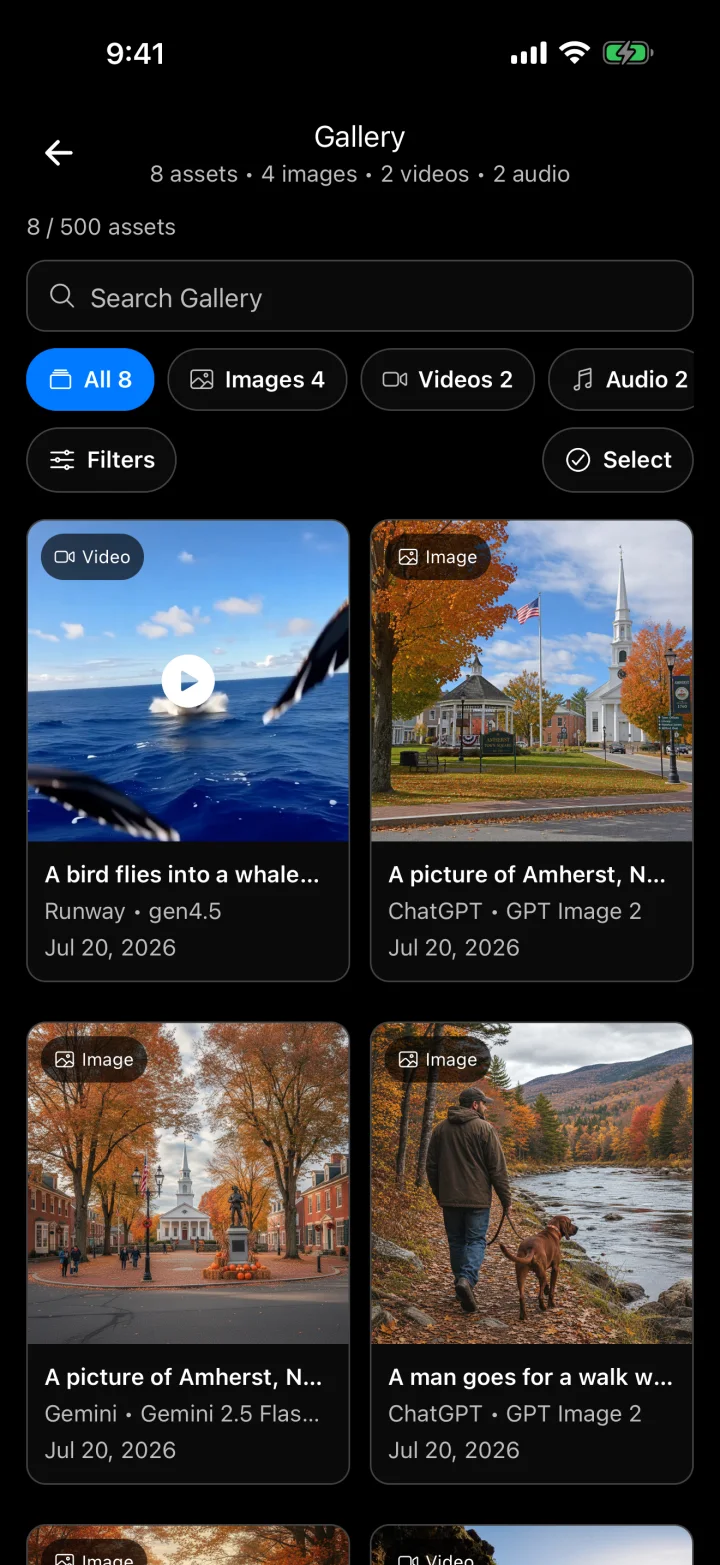
The Studio
Generate images, video, and audio from one composer, across multiple providers, with a gallery that keeps every creation a tap away.
05History
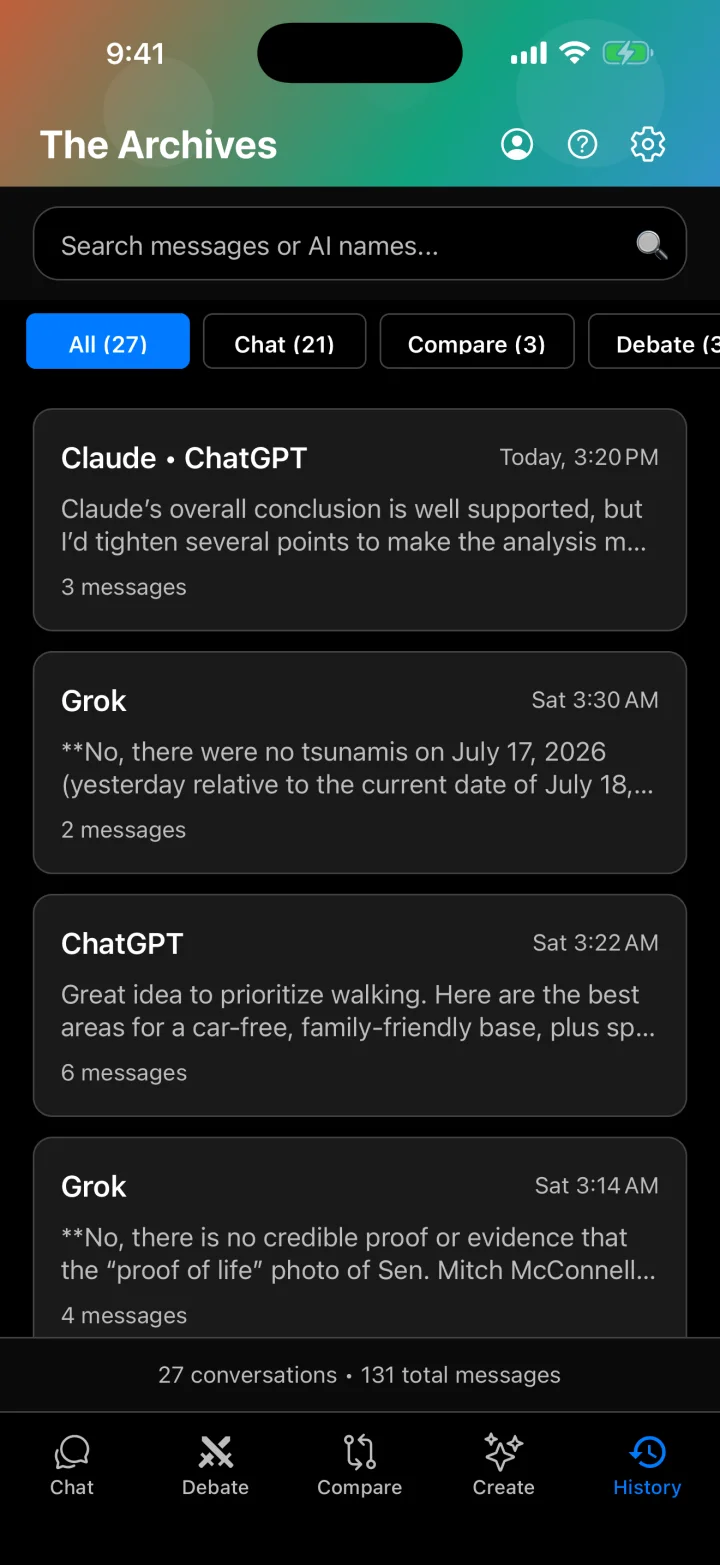
The Archives
Every chat, comparison, debate, and analysis is saved and can be picked up where you left off.
04On a tablet
Room to think.
On iPad and Android tablets the tabs become a sidebar and comparisons get the width they deserve.
05What's inside
The details that add up.
- Web search with citations
- Claude, ChatGPT, Gemini, Grok, and Perplexity search the live web automatically and answer with numbered, cited sources. No toggle to flip.
- Attach before you ask
- Add images and documents (PDF, Word, Excel, PowerPoint, CSV, and more) to your very first message so the AIs have context from the start.
- Create Studio
- Images from OpenAI, Gemini, and Grok, with up to three models at once and photo-based refinement. Video clips through Runway. Voiceovers and sound effects through ElevenLabs.
- Debate formats and voices
- Oxford, Lincoln-Douglas, and Policy formats with Friendly, Neutral, or Hostile intensity. Give each debater an ElevenLabs voice and turn the debate into a podcast.
- Eight AI personalities
- From Bestie, the empathetic co-pilot, to Devlin, the respectful counter-argument artist. A style layer that shapes tone without changing the model.
- Expert Mode
- Set default models per provider and tune model-aware parameters like temperature and max tokens, globally or per session, with live pricing so you always know the cost.
06Pricing
Your keys. Provider prices. One $5.99 app.
Symposium AI connects to each provider with your own API key. You pay OpenAI, Anthropic, Google, and the others exactly what they charge, with no markup and no usage caps, and $5.99 a month for the app. Pick a small, fast model for small jobs and a frontier model when it matters, with the price shown before you send.
Try it free
$0
Before the trial starts
- Web: 20 free sessions with your own keys, 5 each for chat, compare, debate, and analyze.
- Mobile: Demo Mode plays recorded chats, comparisons, and debates. No account or keys needed.
Premium
$5.99 a month
7-day free trial, all platforms
- Chat, Compare, Debate, Create, and Analyze with every supported provider
- Web search with cited sources
- Image, video, and audio generation
- Attachments, Expert Mode, and all eight personalities
- Report exports: PDF, PowerPoint, Word, Excel, interactive page
- Web, iPhone, and Android
On mobile, also $49.99 a year or $129.99 once for lifetime access. Cancel anytime.
API usage
Pay as you go
Billed by each provider
- Pay OpenAI, Anthropic, Google, and the others directly, only for what you use.
- Web: keys are stored AES-256 encrypted on the server and never exposed to the browser.
- Mobile: keys stay on your device.
- Live model pricing in the app, so you always know the cost.
If you run frontier models all day, your API bill will look like a subscription. You will still have ten providers in one place and a second opinion on every answer. Live sessions require your own provider API keys plus free sessions, an active trial, or a subscription.
Start in a browser tab, or on your phone.
Sign in, add a key, and start typing. Or explore Demo Mode on mobile with no account.